Automate deployment with bash scripts
The two previous chapters describe how to provision a GKE cluster and install abcdesktop on it manually. This chapter presents an alternative, scripted approach: three bash scripts that automate the same overall process (cluster creation, exposure with a public FQDN and TLS, and cleanup) for a dev/test abcdesktop platform on GCP.
| Script | Purpose |
|---|---|
deploy-dev-platform-gcp.sh |
Creates the VPC/subnet/GKE cluster (or reuses existing ones) and installs abcdesktop on it |
expose-dev-platform-gcp.sh |
Creates the Ingress, DNS A record, Google-managed SSL certificate and, optionally, protects the platform with Cloud IAP |
cleanup-dev-platform-gcp.sh |
Tears down everything created by the two scripts above |
All three scripts authenticate to GCP with a service account key file and share the same display_message/--help conventions; run any of them with --help for the full option list.
Prerequisites (GCP Console)
Before running any script, a few things must be prepared once in the Cloud Console. These steps cannot be automated by the scripts themselves, either because they require elevated permissions or because the relevant Google APIs have been retired.
1. Create a dedicated service account
Create a service account that the scripts will use to authenticate (IAM & Admin > Service Accounts > Create Service Account), then grant it the following project-level IAM roles:
| Role | Needed for |
|---|---|
roles/compute.admin |
VPC, subnet, Cloud Router, Cloud NAT, backend services |
roles/compute.networkAdmin |
Network resources management |
roles/container.admin |
Creating/deleting the GKE cluster |
roles/dns.admin |
Creating/deleting the DNS A record |
roles/serviceusage.serviceUsageAdmin |
Enabling GCP APIs used by the scripts |
roles/iap.admin |
Only required if you plan to use --enable-iap (manages IAM policy on the IAP resource) |
Once the roles are granted, create and download a JSON key for this service account (Keys > Add Key > Create new key > JSON). Its path is the GCP_SA_CREDENTIALS_FILE argument expected by all three scripts.
Warning
Keep this key file out of version control. Never commit it to a git repository.

2. Enable the required APIs
In APIs & Services > Library, enable:
- Compute Engine API (
compute.googleapis.com) - Kubernetes Engine API (
container.googleapis.com) - Cloud DNS API (
dns.googleapis.com) - Service Usage API (
serviceusage.googleapis.com) - Identity-Aware Proxy API (
iap.googleapis.com) — only if you plan to use--enable-iap
Service Usage API bootstrap trap
If the Service Usage API itself has never been enabled on the project, no gcloud command can enable anything else (including itself) — every API-enable call fails with a SERVICE_DISABLED / permission error, even with the correct IAM roles granted. This is a one-time chicken-and-egg situation that must be resolved by a project Owner enabling the Service Usage API manually from the Console.
3. Prepare a Cloud DNS managed zone
expose-dev-platform-gcp.sh creates an A record in an existing Cloud DNS managed zone (Network Services > Cloud DNS). Create the zone for your domain beforehand and make sure the domain's registrar delegates to the zone's name servers.
4. (Optional) Create the Cloud IAP OAuth client
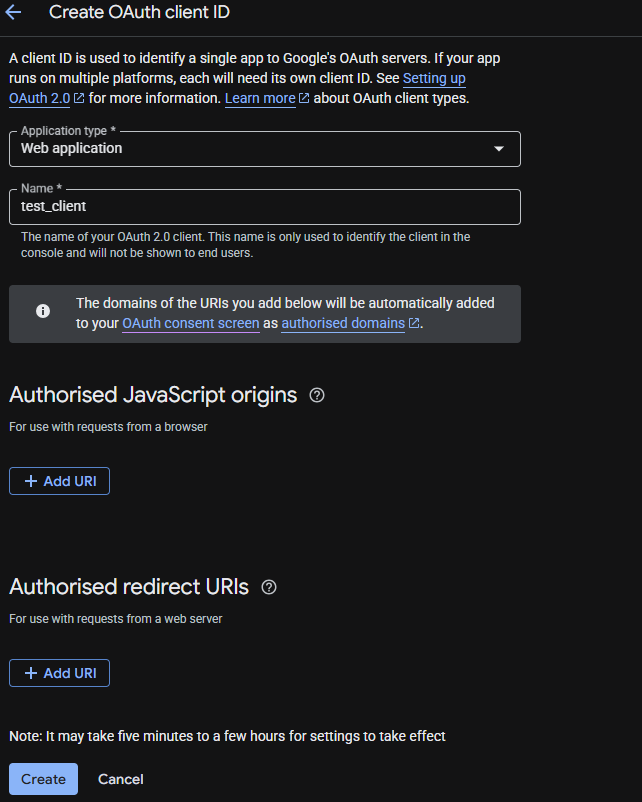
This step is only required if you intend to run expose-dev-platform-gcp.sh --enable-iap. As of March 2026, Google permanently retired the IAP OAuth Admin API, so the OAuth consent screen and client can no longer be created by the script — they must be created once, manually, in the Console:
- Go to
APIs & Services > Google Auth Platformand configure the OAuth consent screen (support email, app name, scopes). - Go to
APIs & Services > Credentials > Create Credentials > OAuth client ID, choose Web application, and create the client. - Note the generated Client ID and Client secret — they are passed to the script via
--iap-client-idand--iap-client-secret. - Edit the OAuth client and add the following Authorized redirect URI, replacing
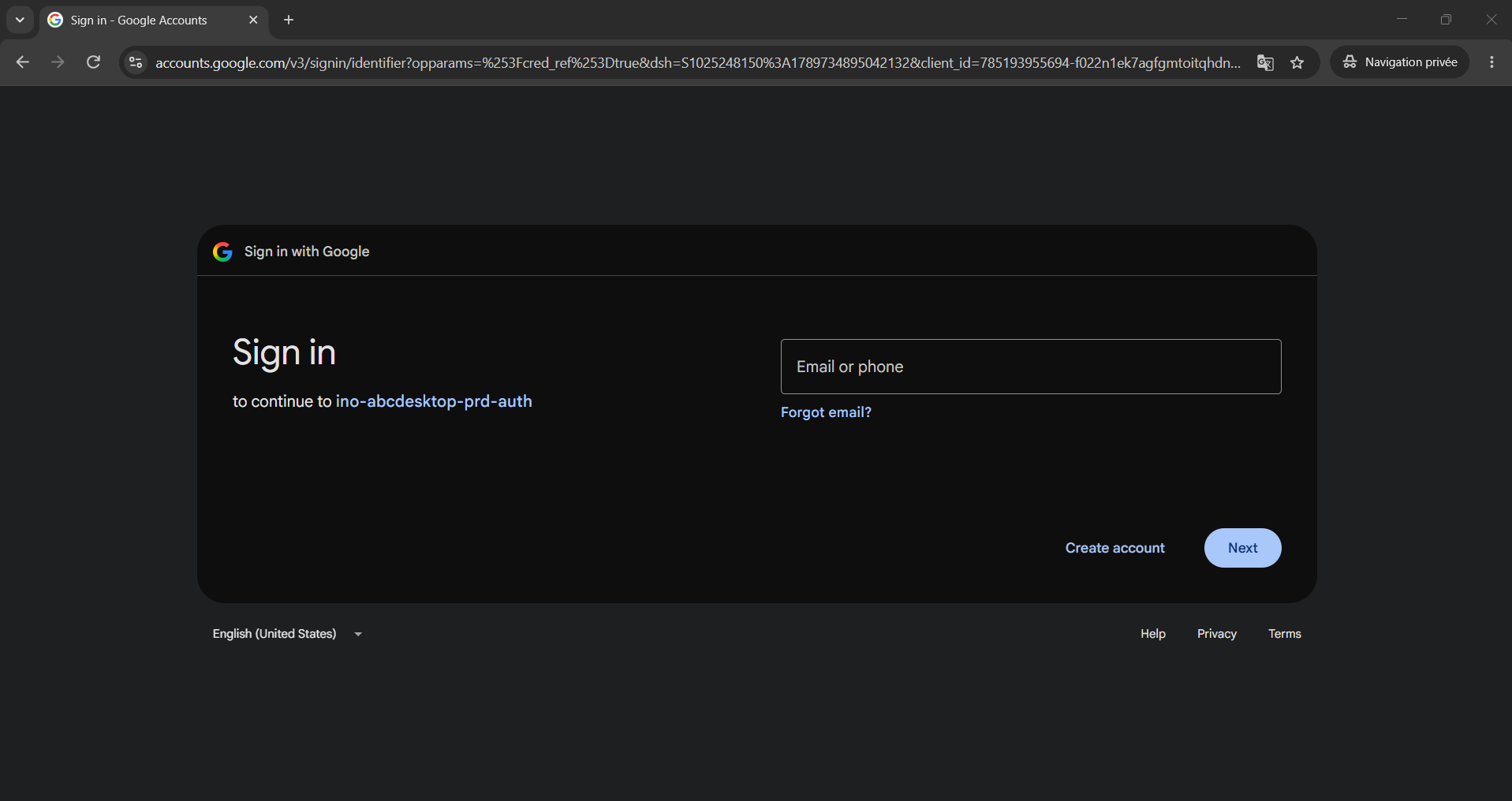
<IAP_CLIENT_ID>with the Client ID from step 3:Without this exact redirect URI, sign-in fails with "This app doesn't comply with Google's OAuth 2.0 policy". Make sure not to append anything else (such ashttps://iap.googleapis.com/v1/oauth/clientIds/<IAP_CLIENT_ID>:handleRedirectflowName=GeneralOAuthFlow) to this URI — that is a separate error-message parameter, not part of the URL.
5. Local tooling
Install the gcloud CLI, kubectl and curl on the machine that will run the scripts. There is no need to run gcloud auth login beforehand: each script authenticates automatically with gcloud auth login --cred-file=<GCP_SA_CREDENTIALS_FILE>.
deploy-dev-platform-gcp.sh
Creates a GKE cluster (auto-creating a VPC/subnet/Cloud Router/Cloud NAT unless existing ones are supplied) and installs abcdesktop on it.
Usage: deploy-dev-platform-gcp.sh <GCP_SA_CREDENTIALS_FILE> <PROJECT_ID> <CLUSTER_NAME> <CLUSTER_REGION> <NUMBER_OF_NODES> [OPTION]...
| Parameter | Description |
|---|---|
--vpc-network <name> |
Use an existing VPC network (default: auto-create one) |
--subnet-name <name> |
Use an existing subnet (default: auto-create one) |
--abcdesktop-namespace <ns> |
Kubernetes namespace for abcdesktop (default: abcdesktop) |
--abcdesktop-version <version> |
abcdesktop version to deploy (default: 5.0) |
Example:
./deploy-dev-platform-gcp.sh key.json my-project abcdesktop-dev europe-west9 3
expose-dev-platform-gcp.sh
Creates the Ingress, DNS A record and Google-managed SSL certificate for a given FQDN, and optionally protects the platform with Cloud IAP.
Usage: expose-dev-platform-gcp.sh <GCP_SA_CREDENTIALS_FILE> <ABCDESKTOP_FQDN> <DNS_ZONE> [OPTION]...
| Parameter | Description |
|---|---|
--abcdesktop-namespace <ns> |
Kubernetes namespace for abcdesktop (default: abcdesktop) |
--dns-record-ttl <seconds> |
TTL for the DNS record (default: 300) |
--project <id> |
GCP project id used for the IAP setup (default: active gcloud project) |
--enable-iap |
Protect the ingress with Cloud IAP |
--iap-client-id <id> |
OAuth client ID created in step 4 (required with --enable-iap) |
--iap-client-secret <secret> |
OAuth client secret (required with --enable-iap) |
--iap-member <member> |
Member(s) granted IAP access, e.g. user:me@example.com (comma-separated for several) |
Example without IAP:
./expose-dev-platform-gcp.sh key.json abcdesktop-dev.example.com my-dns-zone
Example with IAP:
./expose-dev-platform-gcp.sh key.json abcdesktop-dev.example.com my-dns-zone \
  --enable-iap \
  --iap-client-id 123-abc.apps.googleusercontent.com \
  --iap-client-secret GOCSPX-xxx \
  --iap-member user:me@example.com,user:colleague@example.com
After the script execution, your platform should be accessible

cleanup-dev-platform-gcp.sh
Deletes everything created by the two scripts above: the Ingress/ManagedCertificate/BackendConfig (implicitly, via cluster deletion), the GKE cluster, Cloud NAT, Cloud Router, subnetwork, VPC network and, optionally, the DNS A record.
Usage: cleanup-dev-platform-gcp.sh <GCP_SA_CREDENTIALS_FILE> <PROJECT_ID> <CLUSTER_NAME> <CLUSTER_REGION> [OPTION]...
| Parameter | Description |
|---|---|
--vpc-network <name> |
VPC network to delete (default: <CLUSTER_NAME>-vpc) |
--subnet-name <name> |
Subnetwork to delete (default: <CLUSTER_NAME>-subnet) |
--keep-network |
Do not delete the VPC/subnet/router/NAT |
--fqdn <domain> |
Also delete the DNS A record for this FQDN |
--dns-zone <zone> |
Cloud DNS zone name (default: gcp-abcdekstop-demo) |
--yes |
Skip the interactive confirmation prompt |
By default, the script asks you to type the cluster name to confirm before deleting anything.
Example:
./cleanup-dev-platform-gcp.sh key.json my-project abcdesktop-dev europe-west9 --fqdn abcdesktop-dev.example.com
Full example
# 1. Create the cluster and install abcdesktop
./deploy-dev-platform-gcp.sh key.json my-project abcdesktop-dev europe-west9 3

# 2. Expose it publicly with IAP protection
./expose-dev-platform-gcp.sh key.json abcdesktop-dev.example.com my-dns-zone \
  --enable-iap \
  --iap-client-id 123-abc.apps.googleusercontent.com \
  --iap-client-secret GOCSPX-xxx \
  --iap-member user:me@example.com

# 3. When done, tear everything down
./cleanup-dev-platform-gcp.sh key.json my-project abcdesktop-dev europe-west9 --fqdn abcdesktop-dev.example.com
Troubleshooting
SERVICE_DISABLED/ permission errors when enabling any API: the Service Usage API itself was never enabled on the project — see step 2.PERMISSION_DENIED: iap.webServices.getIamPolicy: the service account is missingroles/iap.admin(grantingroles/iap.httpsResourceAccessorto end users is not enough for the script itself).- "This app doesn't comply with Google's OAuth 2.0 policy" at sign-in: the OAuth client is missing (or has a malformed)
:handleRedirectAuthorized redirect URI — see step 4.