Authentication explicit for LDAP Directory Services
authmanagers explicit Object
The explicit authentication provider authenticates users against a directory service using an LDAP bind operation. The bind operation authenticates the client to the directory server and establishes an authorization identity that governs all subsequent operations on that connection.
The explicit authentication configuration is defined as a dictionary object that contains one or more named provider entries.
For example:
authmanagers: {
  'external': {},
  'implicit': {},
  'explicit': {
    'planet': {
      'default': True,
      'ldap_timeout': 15,
      'ldap_protocol': 'ldap',
      'ldap_basedn': 'ou=people,dc=planetexpress,dc=com',
      'servers': [ 'openldap' ]
    }
  },
  'implicit': {}}
authmanagers: {
  'external': {},
  'implicit': {},
  'explicit': {
    'show_domains': True,
    'providers': {
      'LDAP': {
        'config_ref': 'ldapconfig',
        'enabled': True
       }}}}
In this example, the ldapconfig dictionary must contain a key named LDAP.
| Variable name | Type | Description |
|---|---|---|
show_domains |
boolean | Controls whether the domain name is listed in the API getclientdata response. The default value is False. |
default_domain |
string | Not used by LDAP; only used by Active Directory. |
providers |
dictionary | { 'LDAP': { 'config_ref': 'ldapconfig', 'enabled': True }} |
Providers Configuration
The provider authentication configuration is defined as a dictionary object that must include a key name. The key name must match the value specified in both the providers configuration and the config_ref field.
Providers:
The provider is formatted as a dictionary:
{
 'planet': {
   'config_ref': 'ldapconfig',
   'enabled': True
 }
}
| Variable name | Type | Description |
|---|---|---|
| config_ref | string | For increased readability, the domain configuration is defined in a dedicated dictionary using the key-value pair 'config_ref': 'ldapconfig', where the key is config_ref and the value is the name of the dictionary variable. |
| enable | boolean | Enables or disables the domain entry. |
The ldapconfig is a dictionary.
For example:
ldapconfig: {
  'planet: {
    'default': True,
    'ldap_timeout': 15,
    'ldap_basedn': 'ou=people,dc=planetexpress,dc=com',
    'servers': [ 'ldap://192.168.8.195' ],
    'serviceaccount': { 'login': 'cn=admin,dc=planetexpress,dc=com', 'password': 'GoodNewsEveryone' }}}}
LDAP Configuration Reference
| Variable name | Type | Description | Example |
|---|---|---|---|
default |
boolean | Use this domain as the default domain | True |
basedn |
string | LDAP Base Distinguished Name | ou=people,dc=planetexpress,dc=com |
servers |
list of string | List of LDAP server addresses (IP address or FQDN). If a server does not respond, the next one in the list is tried. | [ 'ldap://192.168.1.12', 'ldaps://myldap.domain.org:636' ] |
scope |
LDAP | Defines the scope of the LDAP search operation. base is the DN of the entry at which to start the search, and scope is one of SCOPE_BASE (search the object itself), SCOPE_ONELEVEL (search the object's immediate children), or SCOPE_SUBTREE (search the object and all its descendants). |
SCOPE_SUBTREE |
auth_type |
string | LDAP authentication type. Supported values are 'ANONYMOUS', 'SIMPLE', 'KERBEROS', and 'NTLM'. |
'SIMPLE' |
kerberos_realm |
string | Optional Kerberos realm name | REALM.MYDOMAIN.COM |
domain |
string | Domain name used exclusively for NTLM authentication | DOMAIN |
ldap_connect_timeout |
integer | LDAP connection timeout in seconds. The default value is None. |
3 |
exec_timeout |
integer | Execution timeout in seconds for obtaining NTLM or CNTLM credentials. This timeout applies when running external command-line tools. | 10 |
users_ou |
string | Users Organization Unit | ou=people,dc=planetexpress,dc=com |
attrs |
list | List of default attributes to read from the user object. See the inetOrgPerson LDAP Object Class definition. | Default: ['objectClass', 'cn', 'sn', 'description', 'givenName', 'jpegPhoto', 'mail', 'ou', 'title', 'uid', 'distinguishedName', 'displayName'] |
filter |
string | LDAP filter used to locate the user object | (&(objectClass=inetOrgPerson)(cn=%s)) |
group_filter |
string | LDAP filter used to locate group objects | (&(objectClass=Group)(cn=%s)) |
group_attrs |
string | LDAP filter used to locate group object attributes | (&(objectClass=Group)(cn=%s)) |
memberof_attribut_name |
string | Name of the attribute used for group membership: 'memberOf' or 'groups' |
'groups' |
kerberos_krb5_conf |
string | Path to the Kerberos configuration file | /etc/krb5.conf |
reduce_roles_for_jwt |
string or None | Defines the role representation in the user's JWT | 'cn', 'raw' or None |
OpenLDAP Test Structure
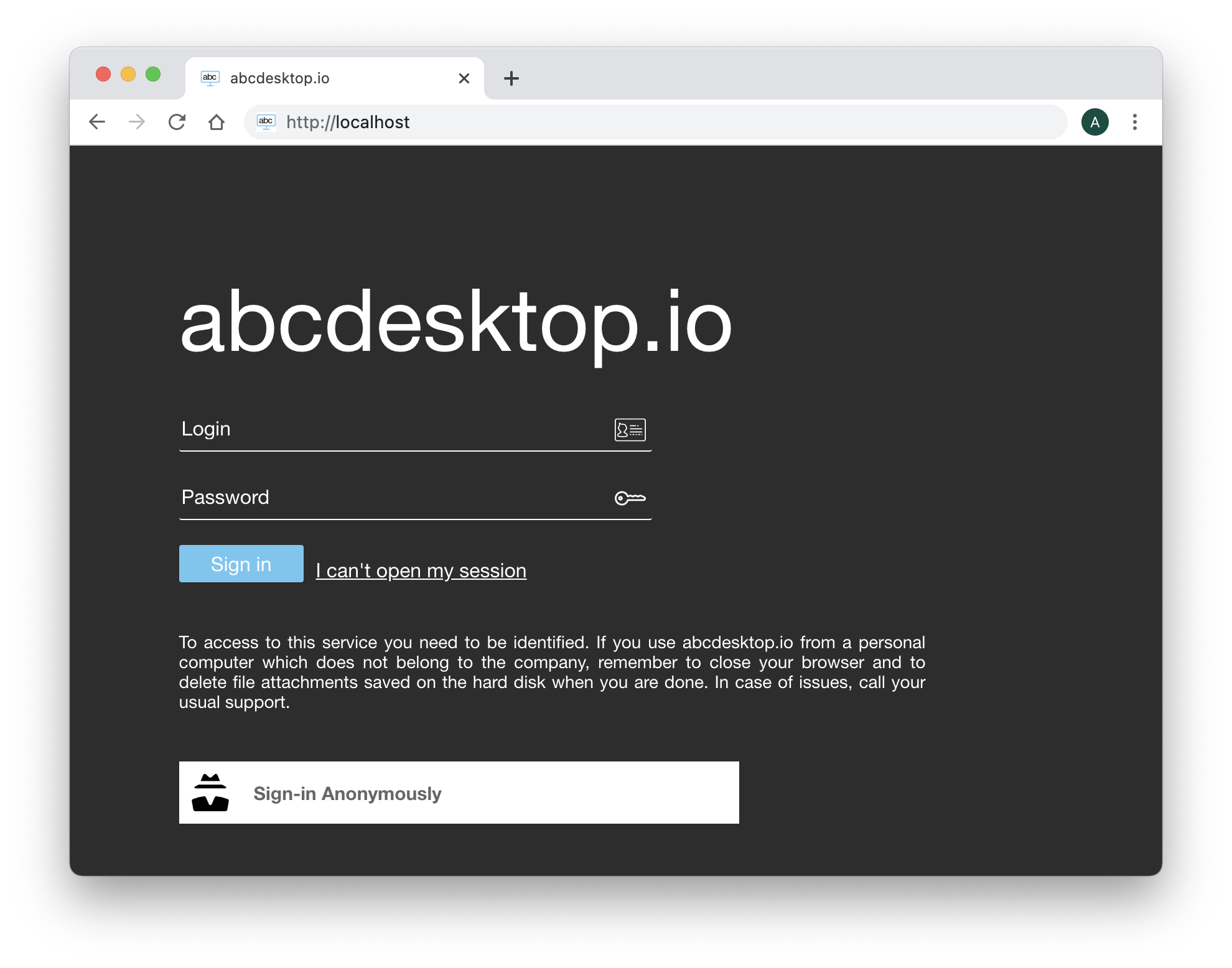
When the explicit authentication manager is enabled, the web home page displays Login and Password input fields to authenticate users.
BaseDN
The basedn is dc=planetexpress,dc=com.
Admin Account
The admin account is defined as:
| Admin | Secret |
|---|---|
| cn=admin,dc=planetexpress,dc=com | GoodNewsEveryone |
Users OU
- The Users Organization Unit is
ou=people,dc=planetexpress,dc=com.
Users
cn=Hubert J. Farnsworth,ou=people,dc=planetexpress,dc=com
| Attribute | Value |
|---|---|
| objectClass | inetOrgPerson |
| cn | Hubert J. Farnsworth |
| sn | Farnsworth |
| description | Human |
| displayName | Professor Farnsworth |
| employeeType | Owner |
| employeeType | Founder |
| givenName | Hubert |
| jpegPhoto | JPEG-Photo (630x507 Pixel, 26780 Bytes) |
| professor@planetexpress.com | |
| hubert@planetexpress.com | |
| ou | Office Management |
| title | Professor |
| uid | professor |
| userPassword | professor |
cn=Philip J. Fry,ou=people,dc=planetexpress,dc=com
| Attribute | Value |
|---|---|
| objectClass | inetOrgPerson |
| cn | Philip J. Fry |
| sn | Fry |
| description | Human |
| displayName | Fry |
| employeeType | Delivery boy |
| givenName | Philip |
| jpegPhoto | JPEG-Photo (429x350 Pixel, 22132 Bytes) |
| fry@planetexpress.com | |
| ou | Delivering Crew |
| uid | fry |
| userPassword | fry |
cn=John A. Zoidberg,ou=people,dc=planetexpress,dc=com
| Attribute | Value |
|---|---|
| objectClass | inetOrgPerson |
| cn | John A. Zoidberg |
| sn | Zoidberg |
| description | Decapodian |
| displayName | Zoidberg |
| employeeType | Doctor |
| givenName | John |
| jpegPhoto | JPEG-Photo (343x280 Pixel, 26438 Bytes) |
| zoidberg@planetexpress.com | |
| ou | Staff |
| title | Ph. D. |
| uid | zoidberg |
| userPassword | zoidberg |
cn=Hermes Conrad,ou=people,dc=planetexpress,dc=com
| Attribute | Value |
|---|---|
| objectClass | inetOrgPerson |
| cn | Hermes Conrad |
| sn | Conrad |
| description | Human |
| employeeType | Bureaucrat |
| employeeType | Accountant |
| givenName | Hermes |
| hermes@planetexpress.com | |
| ou | Office Management |
| uid | hermes |
| userPassword | hermes |
cn=Turanga Leela,ou=people,dc=planetexpress,dc=com
| Attribute | Value |
|---|---|
| objectClass | inetOrgPerson |
| cn | Turanga Leela |
| sn | Turanga |
| description | Mutant |
| employeeType | Captain |
| employeeType | Pilot |
| givenName | Leela |
| jpegPhoto | JPEG-Photo (429x350 Pixel, 26526 Bytes) |
| leela@planetexpress.com | |
| ou | Delivering Crew |
| uid | leela |
| userPassword | leela |
Groups
cn=admin_staff,ou=people,dc=planetexpress,dc=com
| Attribute | Value |
|---|---|
| objectClass | Group |
| cn | admin_staff |
| member | cn=Hubert J. Farnsworth,ou=people,dc=planetexpress,dc=com |
| member | cn=Hermes Conrad,ou=people,dc=planetexpress,dc=com |
cn=ship_crew,ou=people,dc=planetexpress,dc=com
| Attribute | Value |
|---|---|
| objectClass | Group |
| cn | ship_crew |
| member | cn=Turanga Leela,ou=people,dc=planetexpress,dc=com |
| member | cn=Philip J. Fry,ou=people,dc=planetexpress,dc=com |
| member | cn=Bender Bending Rodríguez,ou=people,dc=planetexpress,dc=com |
Entering User Credentials
Start your web browser and open the URL http://localhost.
The web home page displays Login and Password input fields to authenticate users.
You can use any user from the list above. For example:
| Credentials | Value |
|---|---|
| Login | Turanga Leela |
| Password | leela |
Enter the login credentials:
Turanga Leela as the login and leela as the password, then click the Sign in button.
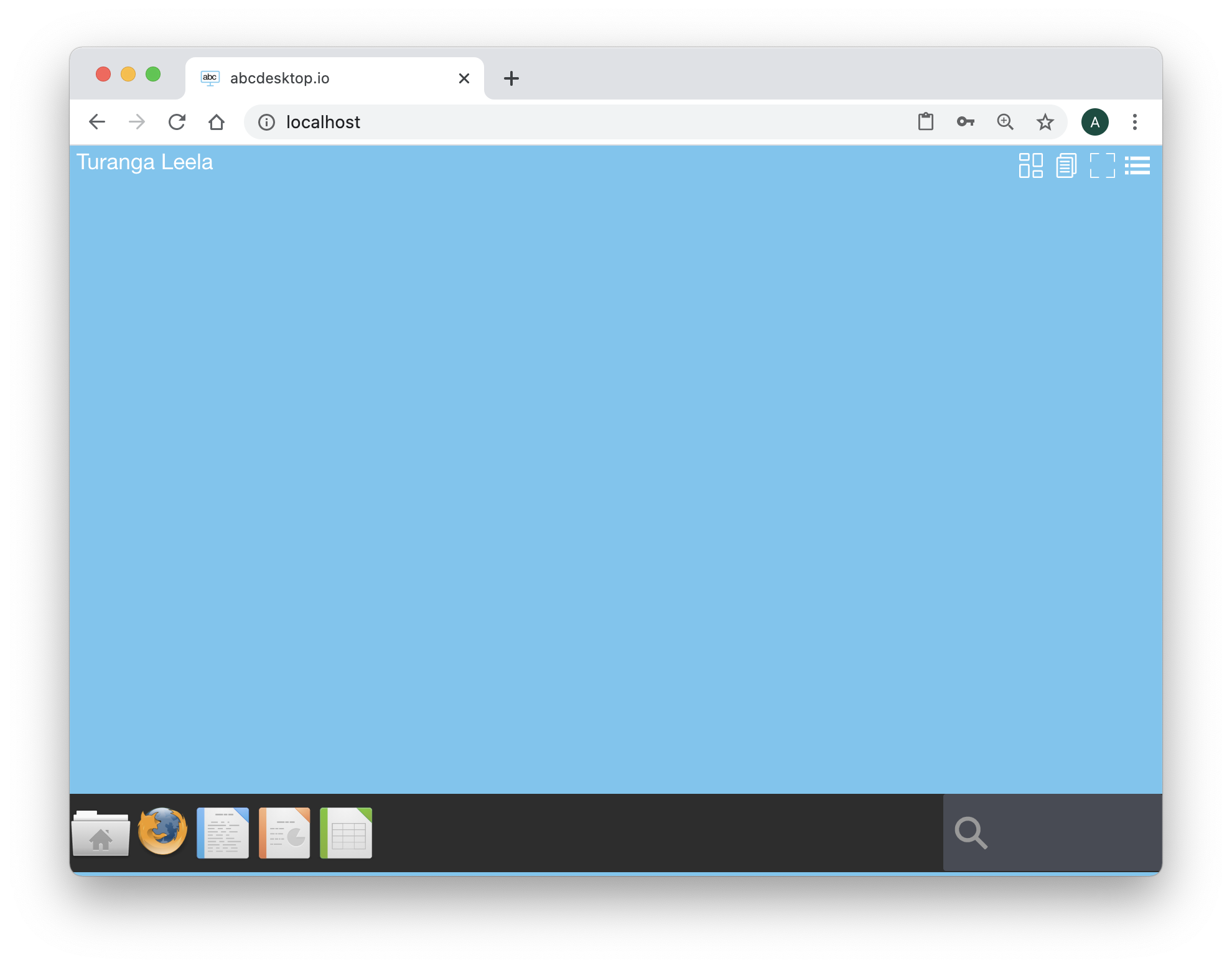
The user name Turanga Leela is displayed at the top right of the screen during a few seconds:

Session Persistence
Start LibreOffice Writer and create a new document. Type a few words, for example:
I like this amazing project abcdesktop.io
Do not save the document. Close the web browser.
Reopen the web browser, navigate to the same URL, and sign in again using the same credentials: Turanga Leela as the login and leela as the password. Click the Sign in button.
LibreOffice Writer remains running, and the text I like this amazing project abcdesktop.io is still present in the document.
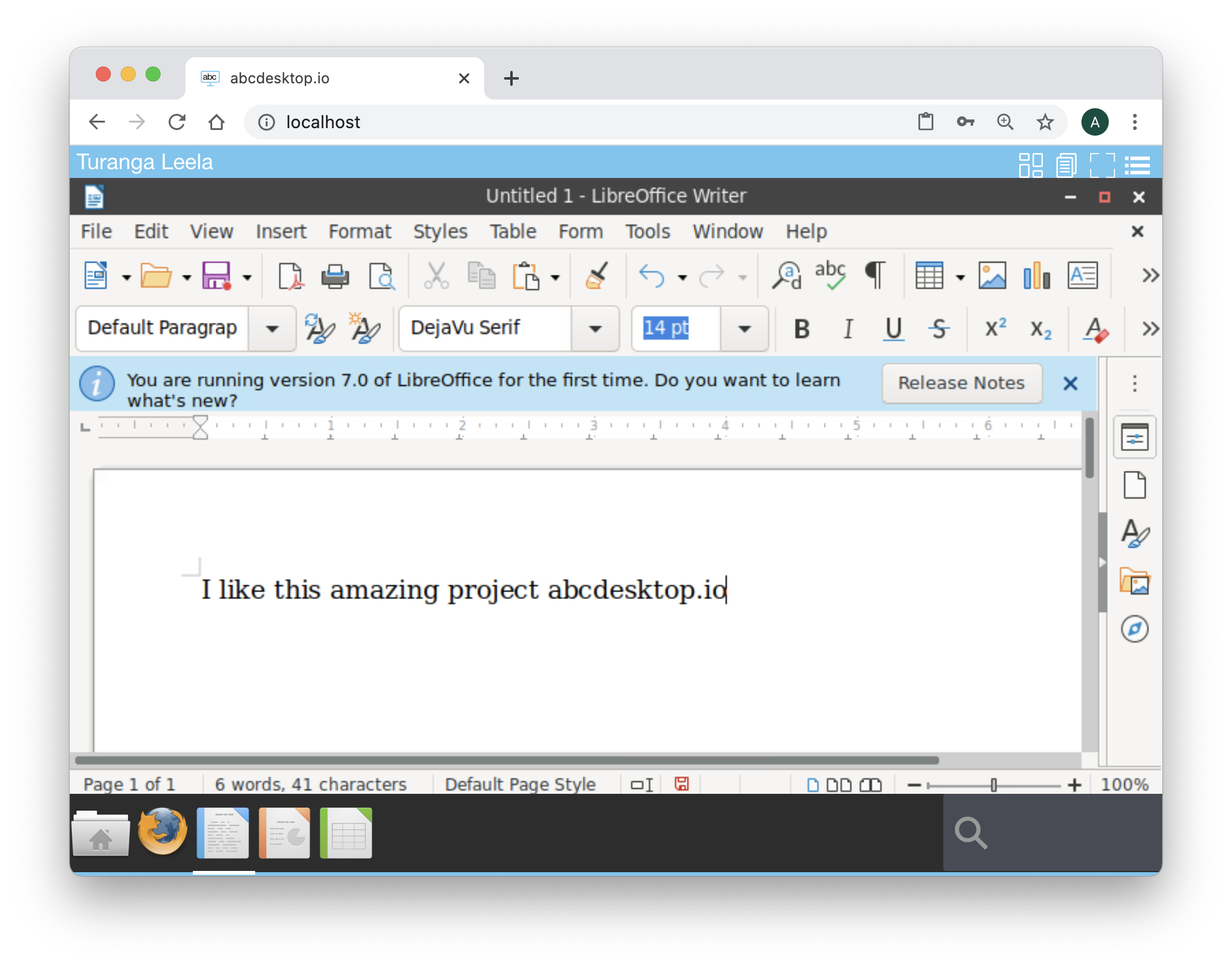
All applications are preserved across sessions.
You have successfully verified the explicit authentication configuration, deployed an OpenLDAP directory service, and confirmed that user sessions persist across browser restarts.