Authentication: implicit
Overview
The implicit authentication provider is the simplest configuration mode available in abcdesktop.io. It grants anonymous, always-allow access without requiring user credentials, making it appropriate for demonstration deployments, open-access environments, and functional testing scenarios.
The implicit provider dictionary must contain a providers key, which in turn holds one or more named provider entries. The anonymous provider unconditionally permits authentication and assigns the user identifier specified by the userid field in the provider configuration.
Configuration
'implicit': {
    'providers': {
      'anonymous': {
        'displayname': 'Guest',
        'textcolor': '#000000',
        'icon': 'img/auth/anonymous_icon.svg',
        'backgroundcolor': '#FFFFFF',
        'caption': 'Have a look !',
        'userid': 'anonymous',
        'username': 'anonymous',
        'policies': { 'acl': { 'permit': [ 'all' ] } }
      }
    }}
Set the full authmanagers dictionary in your od.config file as follows:
authmanagers: {
  'external': {},
  'explicit': {},
  'implicit': {
    'providers': {
      'anonymous': {
        'displayname': 'Guest',
        'textcolor': '#000000',
        'icon': 'img/auth/anonymous_icon.svg',
        'backgroundcolor': '#FFFFFF',
        'caption': 'Have a look !',
        'userid': 'anonymous',
        'username': 'anonymous',
        'policies': { 'acl': { 'permit': [ 'all' ] } }
      }
    }
  }}
Apply the updated configuration file to your Kubernetes cluster.
Verifying the Configuration
Open a web browser and navigate to your abcdesktop.io URL. The login page displays a Sign-In Anonymously button:
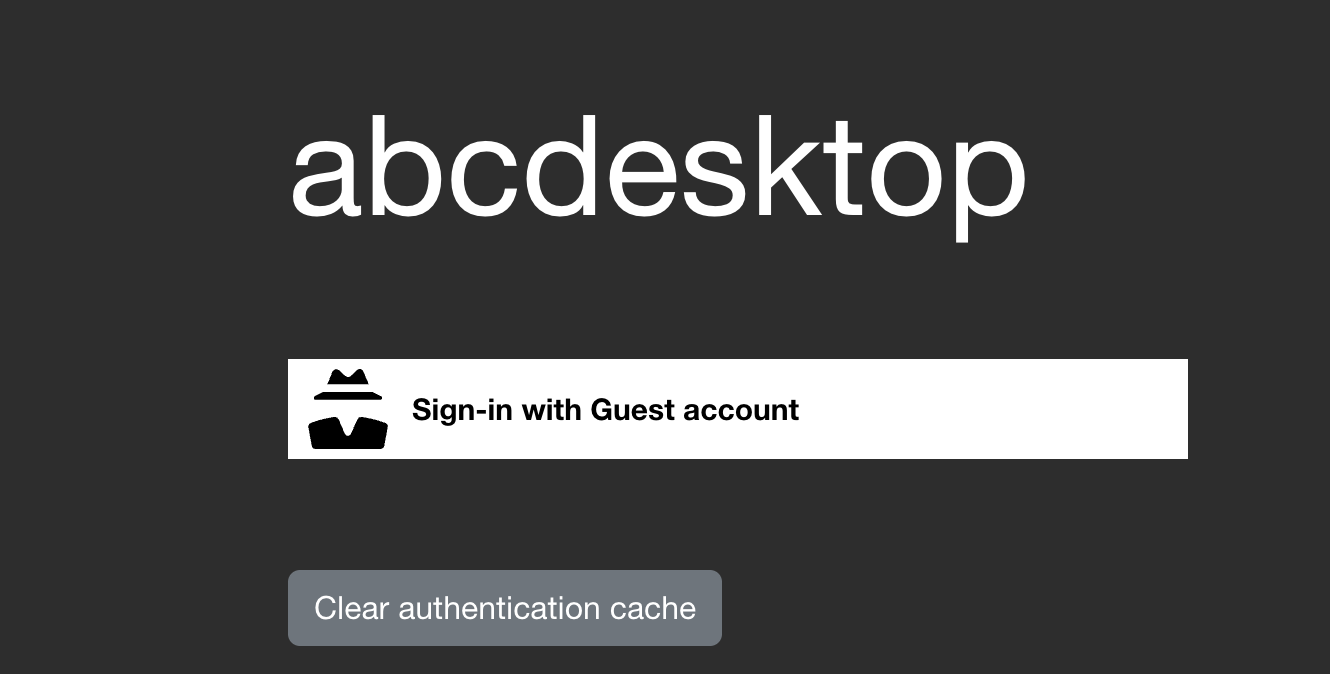
Click Sign-In Anonymously to receive a desktop session as the anonymous user.
Verify the running desktop pod:
kubectl get pods -l type=x11server -n abcdesktop
NAME              READY   STATUS    RESTARTS   AGE
anonymous-3806b   3/3     Running   0          9m22s
Open a shell inside the pod to confirm the user context:
kubectl exec -it anonymous-3806b -n abcdesktop -- bash
Defaulted container "x-graphical" out of: x-graphical, s-sound, f-filer, i-init (init)
anonymous@abcdesktop:~$ id
uid=4096(anonymous) gid=4096(anonymous) groups=4096(anonymous)
The session runs as the anonymous user with uid=4096 and gid=4096. The implicit authentication configuration is working correctly.