Install
Apply the default netpol-default-4.4.yaml file
To apply the network policies to the abcdesktop namespace, run the following command:
kubectl apply -f https://raw.githubusercontent.com/abcdesktopio/conf/main/kubernetes/netpol-default-4.4.yaml -n abcdesktop
The command returns:
networkpolicy.networking.k8s.io/abcdesktop-rights created
networkpolicy.networking.k8s.io/memcached-rights created
networkpolicy.networking.k8s.io/memcached-permits created
networkpolicy.networking.k8s.io/mongodb-rights created
networkpolicy.networking.k8s.io/mongodb-permits created
networkpolicy.networking.k8s.io/console-rights created
networkpolicy.networking.k8s.io/console-permits created
networkpolicy.networking.k8s.io/speedtest-rights created
networkpolicy.networking.k8s.io/speedtest-permits created
networkpolicy.networking.k8s.io/pyos-rights created
networkpolicy.networking.k8s.io/pyos-permits created
networkpolicy.networking.k8s.io/router-rights created
networkpolicy.networking.k8s.io/router-permits created
networkpolicy.networking.k8s.io/nginx-rights created
networkpolicy.networking.k8s.io/nginx-permits created
networkpolicy.networking.k8s.io/ocapplications-permits created
networkpolicy.networking.k8s.io/ocuser-rights created
networkpolicy.networking.k8s.io/ocuser-permits created
networkpolicy.networking.k8s.io/authentication-permits created
networkpolicy.networking.k8s.io/ldap-permits created
networkpolicy.networking.k8s.io/ldap-rights created
networkpolicy.networking.k8s.io/smtp-permits created
networkpolicy.networking.k8s.io/https-permits created
networkpolicy.networking.k8s.io/storage-permits created
networkpolicy.networking.k8s.io/coredns-permits created
networkpolicy.networking.k8s.io/apiserver-permits created
networkpolicy.networking.k8s.io/graylog-permits created
Test the network policies
- Log in to your abcdesktop instance.
- Open a web shell and run the following curl command:
curl http://pyos.abcdesktop.svc.cluster.local:8000/API/manager/images
This HTTP request is denied by the network policy. The following error message should appear:
curl: (28) Failed to connect to pyos.abcdesktop.svc.cluster.local port 8000 after 130290 ms: Couldn't connect to server
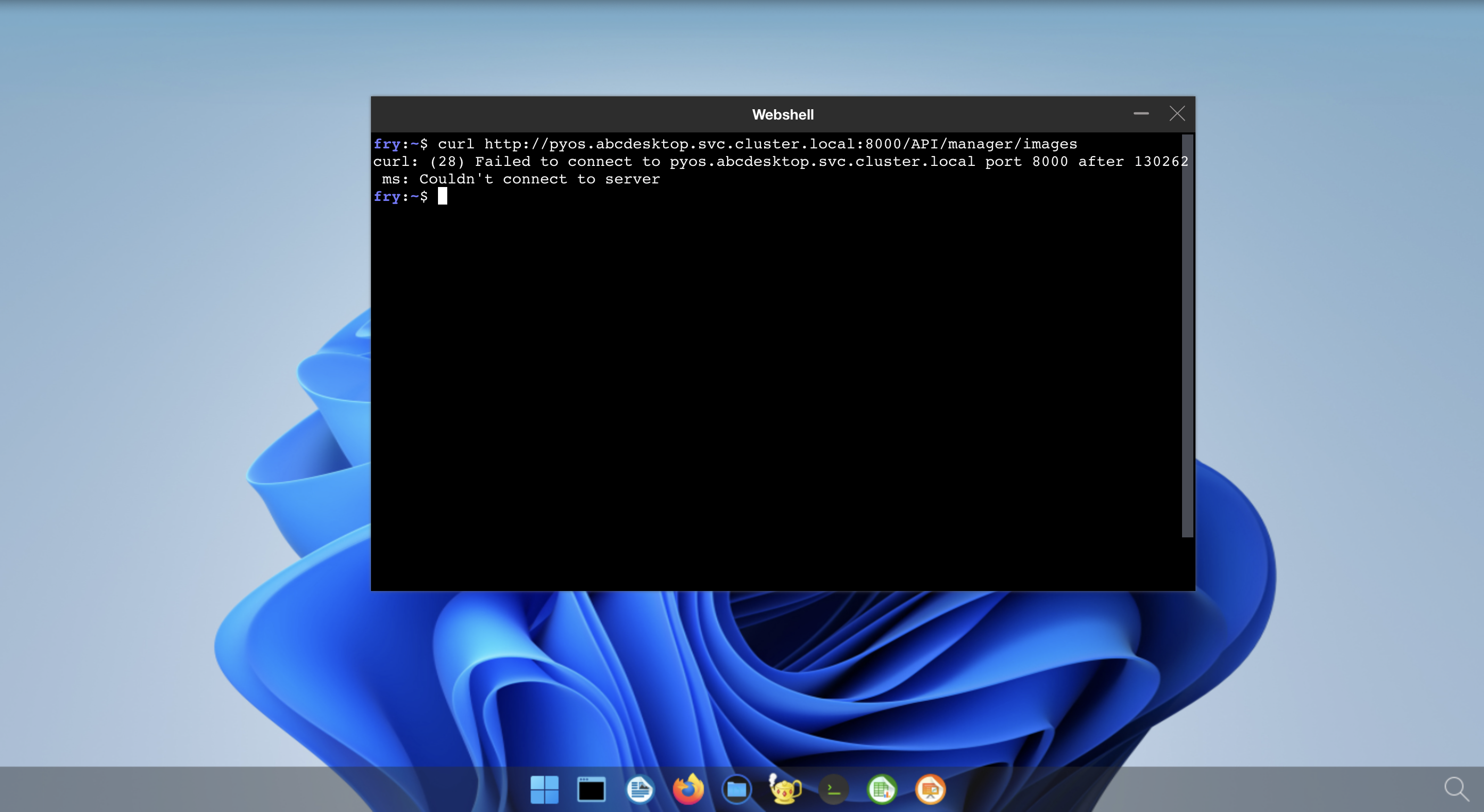
The error message confirms that the user's pod cannot reach https://pyos.abcdesktop.svc.cluster.local:8000/API, as expected when network policies are enforced.