Make user's home directory persistent using hostPath
Prerequisites
- a Kubernetes cluster with abcdesktop installed
Define hostPath folder and update od.config
On your node, create a directory that will serve as the mount point for user home directories — for example, /mnt/abcdesktop_volumes/.
Then edit your od.config file. First, set desktop.homedirectorytype to 'hostPath' and add a desktop.hostPathRoot entry whose value is the path to the mount point you created.
desktop.homedirectorytype: 'hostPath'

#
# desktop.hostPathRoot set the hostPath root directory
# desktop.hostPathRoot is read only if desktop.homedirectorytype: 'hostPath'
desktop.hostPathRoot: '/mnt/abcdesktop_volumes'
Kubernetes will automatically create a directory for each user if one does not already exist.
Finally, update the ConfigMap and restart pyos by running the following commands:
kubectl create -n abcdesktop configmap abcdesktop-config --from-file=od.config -o yaml --dry-run=client | kubectl replace -n abcdesktop -f -
kubectl rollout restart deploy pyos-od -n abcdesktop
Check if user's home directory is persistent
You can now connect to abcdesktop and log in as a user.
Once connected, run the following command to verify that the user's home directory is correctly configured:
kubectl describe pod <YOUR-POD-NAME> -n abcdesktop
You should see something like the following in the volumes section:
Volumes:
  home:
    Type:          HostPath (bare host directory volume)
    Path:          /mnt/abcdesktop_volumes/fry
    HostPathType:  DirectoryOrCreate
You can also verify on the host node that the directory has been created:
ls -la /mnt/abcdesktop_volumes/
total 20
drwxr-xr-x  5 root root  4096 Apr  7 16:44 .
drwxr-xr-x 14 root root  4096 Apr  7 11:39 ..
drwxr-x--- 15 2042 12042 4096 Apr  8 11:21 fry
The numeric UID of the directory owner should match your user's UID.
Now create a file in the user's home directory:
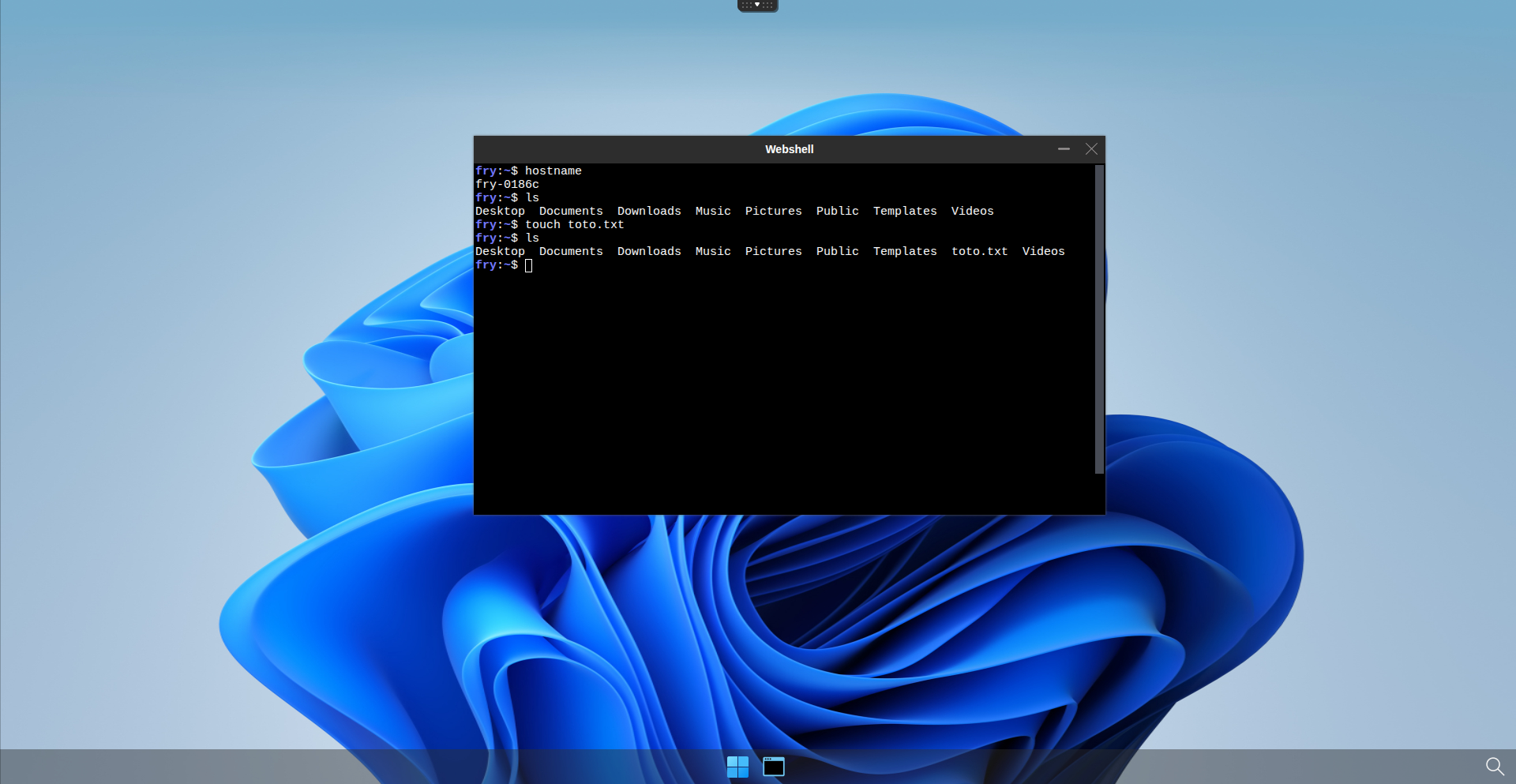
Verify that the file is present on the host node:
ls -la /mnt/abcdesktop_volumes/fry
drwxr-x--- 2 2042 12042 4096 Mar 17 15:09 Desktop
drwxr-x--- 2 2042 12042 4096 Mar 17 15:09 Documents
drwxr-x--- 2 2042 12042 4096 Mar 17 15:09 Downloads
drwxr-x--- 2 2042 12042 4096 Mar 17 15:09 Music
drwxr-x--- 2 2042 12042 4096 Mar 17 15:09 Pictures
drwxr-x--- 2 2042 12042 4096 Mar 17 15:09 Public
drwxr-x--- 2 2042 12042 4096 Mar 17 15:09 Templates
-rw-r----- 1 2042 12042    0 Mar 18 09:11 toto.txt
drwxr-x--- 2 2042 12042 4096 Mar 17 15:09 Videos
Then log off to destroy the pod and allow it to be recreated. Once reconnected on a new pod with the same user, verify that the file you previously created is still present.
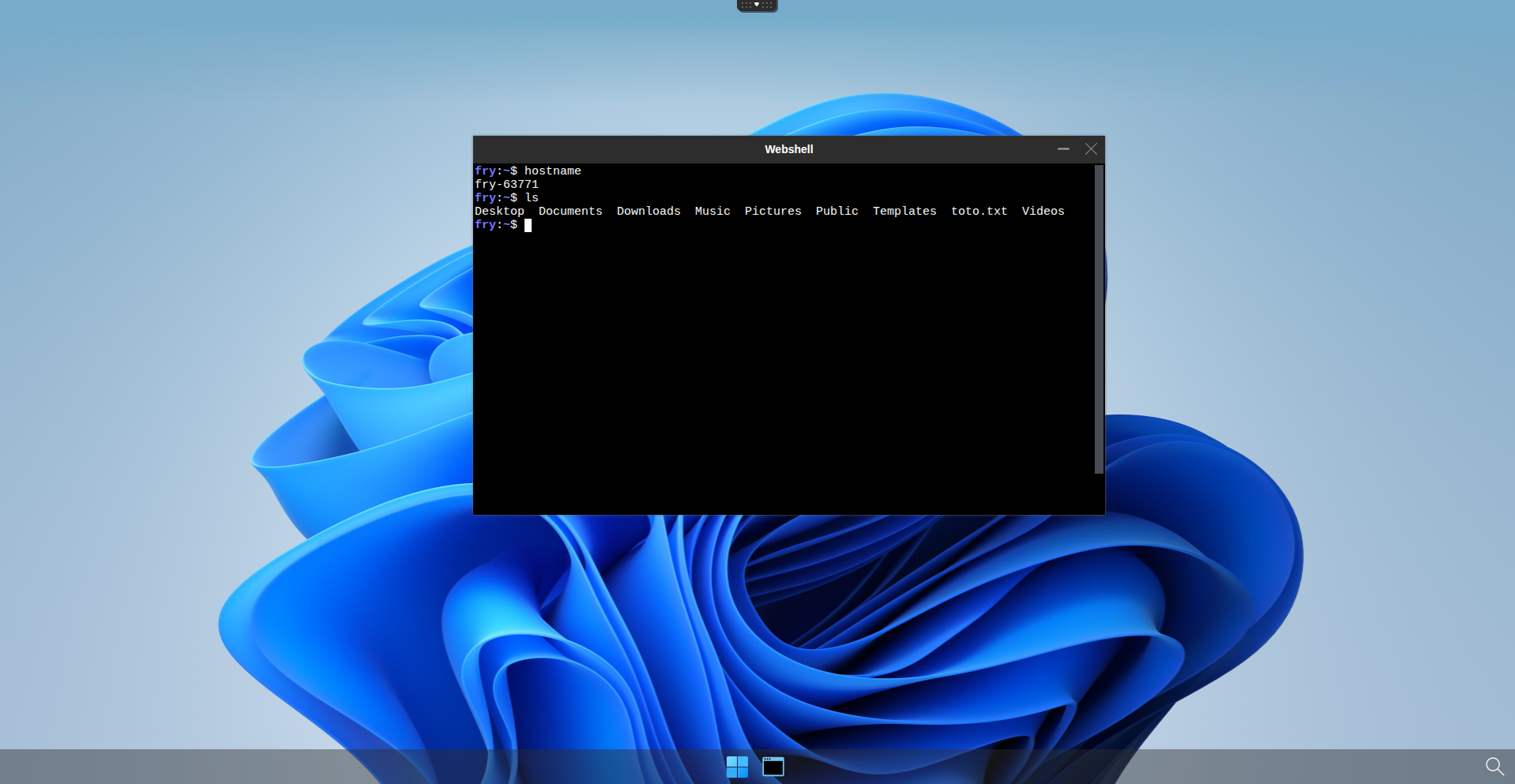
Home directory persistence using hostPath is now configured.