Customize the abcdesktop Frontend Through the ui.json File
Requirements
dockercommand line installed, to build image- your own registry to store container images
Create a New Image for abcdesktop oc.nginx
Clone the Default Web Modules
BRANCH=4.4
git clone -b $BRANCH https://github.com/abcdesktopio/webModules.git
Locate Project and UI Files
Update the ui.json File
Update your ui.json file. ui.json is located in the transpile/config directory.
ls -la  webModules/transpile/config
total 204
drwxr-xr-x   5 alexandredevely  staff   160 Nov 29 14:54 .
drwxr-xr-x  11 alexandredevely  staff   352 Nov 29 14:54 ..
-rw-r--r--   1 alexandredevely  staff    34 Nov 29 14:54 .cache.json
-rw-r--r--   1 alexandredevely  staff  1924 Nov 29 14:54 modules.json
-rw-r--r--   1 alexandredevely  staff  1548 Nov 29 14:54 ui.json
ui.json is a JSON dictionary file.
The primary entry is name, which specifies the project name:
| entry | default value | example |
|---|---|---|
| name | abcdesktop.io | acmedesktop.io |
{
  "name": "abcdesktop.io",
  "projectNameSplitedHTML": "<span id='projectNameSplitedStagea'>a</span><span id='projectNameSplitedStageb'>b</span><span id='projectNameSplitedStagec'>c</span><span id='p
rojectNameSplitedStaged'>desktop</span>",
  "colors": [
    {
      "name": "@primary",
      "value": "#474B55"
    },
    {
      "name": "@secondary",
      "value": "#2D2D2D"
    },
    {
      "name": "@tertiary",
      "value": "#6EC6F0"
    },
    {
      "name": "@quaternary",
      "value": "#1E1E1E"
    },
    {
      "name": "@svgColor",
      "value": "#FFFFFF"
    },
    {
      "name": "@danger",
      "value": "#CD3C14"
    },
    {
      "name": "@success",
      "value": "#32C832"
    },
    {
      "name": "@info",
      "value": "#527EDB"
    },
    {
      "name": "@warning",
      "value": "#FFCC00"
    },
    {
      "name": "@light",
      "value": "#FFFFFF"
    },
    {
      "name": "@dark",
      "value": "#666666"
    },
    {
      "name": "@blue",
      "value": "#4BB4E6"
    },
    {
      "name": "@green",
      "value": "#50BE87"
    },
    {
      "name": "@purple",
      "value": "#A885D8"
    },
    {
      "name": "@pink",
      "value": "#FFB4E6"
    },
    {
      "name": "@yellow",
      "value": "#FFD200"
    }
  ],
  "urlcannotopensession": "/identification/site/",
  "urlusermanual":  "https://www.abcdesktop.io/",
  "urlusersupport": "https://www.abcdesktop.io/",
  "urlopensourceproject": "https://www.abcdesktop.io/"
}
Login Progress
The login progress indicator is embedded in span HTML tags. Each projectNameSplitedStage describes a step during the user's authentication and pod creation process.
- projectNameSplitedStagea:
step 1 - projectNameSplitedStageb:
step 2 - projectNameSplitedStagec:
step 3 - projectNameSplitedStaged:
step 4
<span id='projectNameSplitedStagea'>a</span>
<span id='projectNameSplitedStageb'>b</span>
<span id='projectNameSplitedStagec'>c</span>
<span id='projectNameSplitedStaged'>desktop</span>
Colors Dictionary Entries
| entry | default value | example |
|---|---|---|
| @primary | #474B55 | #474B55 |
| @secondary | #2D2D2D | #2D2D2D |
| @tertiary | #6EC6F0 | #6EC6F0 |
Update the ui.json with Your Own Values
For example, change the name abcdesktop to acmedesktop:
"name": "acmedesktop.io"
Update the projectNameSplitedHTML values and the @tertiary color:
    {
      "name": "@tertiary",
      "value": "#18974c"
    },
The following is a complete example using acmedesktop:
{
  "name": "acmedesktop.io",
  "projectNameSplitedHTML": "<span id='projectNameSplitedStagea'>a</span><span id='projectNameSplitedStageb'>c</span><span id='projectNameSplitedStagec'>me</span><span id='projectNameSplitedStaged'>desktop</span>",
  "colors": [
    {
      "name": "@primary",
      "value": "#474B55"
    },
    {
      "name": "@secondary",
      "value": "#2D2D2D"
    },
    {
      "name": "@tertiary",
      "value": "#18974c"
    },
    {
      "name": "@quaternary",
      "value": "#1E1E1E"
    },
    {
      "name": "@svgColor",
      "value": "#FFFFFF"
    },
    {
      "name": "@danger",
      "value": "#CD3C14"
    },
    {
      "name": "@success",
      "value": "#32C832"
    },
    {
      "name": "@info",
      "value": "#527EDB"
    },
    {
      "name": "@warning",
      "value": "#FFCC00"
    },
    {
      "name": "@light",
      "value": "#FFFFFF"
    },
    {
      "name": "@dark",
      "value": "#666666"
    },
    {
      "name": "@blue",
      "value": "#4BB4E6"
    },
    {
      "name": "@green",
      "value": "#50BE87"
    },
    {
      "name": "@purple",
      "value": "#A885D8"
    },
    {
      "name": "@pink",
      "value": "#FFB4E6"
    },
    {
      "name": "@yellow",
      "value": "#FFD200"
    }
  ],
  "urlcannotopensession": "/identification/site/",
  "urlusermanual":  "https://www.abcdesktop.io/",
  "urlusersupport": "https://www.abcdesktop.io/",
  "urlopensourceproject": "https://www.abcdesktop.io/"
}
Build the New Image
Run the following Docker build command to build the new oc.nginx:acme image.
The target image is abcdesktopio/oc.nginx:acme. Replace this with your own registry name, for example myacme/oc.nginx:acme.
docker build --build-arg NODE_MAJOR=20 --build-arg BASE_IMAGE=abcdesktopio/oc.nginx.builder --build-arg BASE_IMAGE_RELEASE=4.4 --build-arg TARGET=dev -t abcdesktopio/oc.nginx.acme:4.4 -f Dockerfile .
[+] Building 16.5s (19/19) FINISHED                                                                                                                          docker:default
 => [internal] load build definition from Dockerfile                                                                                                                   0.0s
 => => transferring dockerfile: 962B                                                                                                                                   0.0s
 => [internal] load metadata for docker.io/library/nginx:latest                                                                                                        0.0s
 => [internal] load metadata for docker.io/abcdesktopio/oc.nginx.builder:4.4                                                                                           0.0s
 => [internal] load .dockerignore                                                                                                                                      0.0s
 => => transferring context: 2B                                                                                                                                        0.0s
 => CACHED [stage-1 1/2] FROM docker.io/library/nginx:latest                                                                                                           0.0s
 => CACHED [builder  1/11] FROM docker.io/abcdesktopio/oc.nginx.builder:4.4                                                                                            0.0s
 => [internal] load build context                                                                                                                                      0.1s
 => => transferring context: 265.27kB                                                                                                                                  0.1s
 => [builder  2/11] RUN echo current branch is                                                                                                                         0.2s
 => [builder  3/11] RUN echo NODE release is 20                                                                                                                        0.2s
 => [builder  4/11] RUN echo current target is prod it can be 'dev' or 'prod'                                                                                          0.2s
 => [builder  5/11] COPY . /var/webModules                                                                                                                             0.4s
 => [builder  6/11] WORKDIR /var/webModules                                                                                                                            0.1s
 => [builder  7/11] RUN make clean                                                                                                                                     0.7s
 => [builder  8/11] RUN make prod                                                                                                                                      9.7s
 => [builder  9/11] RUN ./mkversion.sh && cat version.json                                                                                                             0.2s
 => [builder 10/11] RUN /myenv/bin/html5validator index.html                                                                                                           2.0s
 => [builder 11/11] RUN make removebuildtools                                                                                                                          0.8s
 => [stage-1 2/2] COPY --from=builder /var/webModules /usr/share/nginx/html                                                                                            0.7s
 => exporting to image                                                                                                                                                 0.7s
 => => exporting layers                                                                                                                                                0.7s
 => => writing image sha256:d7bdbc9f7fafe3282161551e84c5997bb12051bded6405190267863dd73a1698                                                                           0.0s
 => => naming to docker.io/abcdesktopio/oc.nginx.acme:4.4
Update the abcdesktop.yaml File
To update abcdesktop.yaml and replace oc.nginx:4.4 with your custom image oc.nginx.acme:4.4, edit your abcdesktop.yaml file:
      [...]
      - name: nginx
        imagePullPolicy: Always
        image: abcdesktopio/oc.nginx:4.4
        ports:
          - containerPort: 80
            name: http
      [...]
Update the deployment section with your new image name and replace abcdesktopio with your own registry name:
      [...]
      - name: nginx
        imagePullPolicy: Always
        image: abcdesktopio/oc.nginx.acme:4.4
        ports:
          - containerPort: 80
            name: http
      [...]
Apply the updated abcdesktop.yaml file:
NAMESPACE=abcdesktop
kubectl apply -f abcdesktop.yaml -n $NAMESPACE
The command outputs the following to stdout:
role.rbac.authorization.k8s.io/pyos-role unchanged
rolebinding.rbac.authorization.k8s.io/pyos-rbac unchanged
serviceaccount/pyos-serviceaccount unchanged
configmap/configmap-mongodb-scripts unchanged
secret/secret-mongodb configured
deployment.apps/mongodb-od configured
deployment.apps/memcached-od configured
deployment.apps/router-od configured
deployment.apps/nginx-od configured
deployment.apps/speedtest-od configured
deployment.apps/pyos-od configured
deployment.apps/console-od configured
deployment.apps/openldap-od configured
endpoints/desktop unchanged
service/desktop unchanged
service/memcached unchanged
service/mongodb unchanged
service/speedtest unchanged
service/pyos unchanged
service/console unchanged
service/http-router unchanged
service/website unchanged
service/openldap unchanged
Connect to the New Website
Open a web browser and navigate to your abcdesktop website.
- the acmedesktop login page
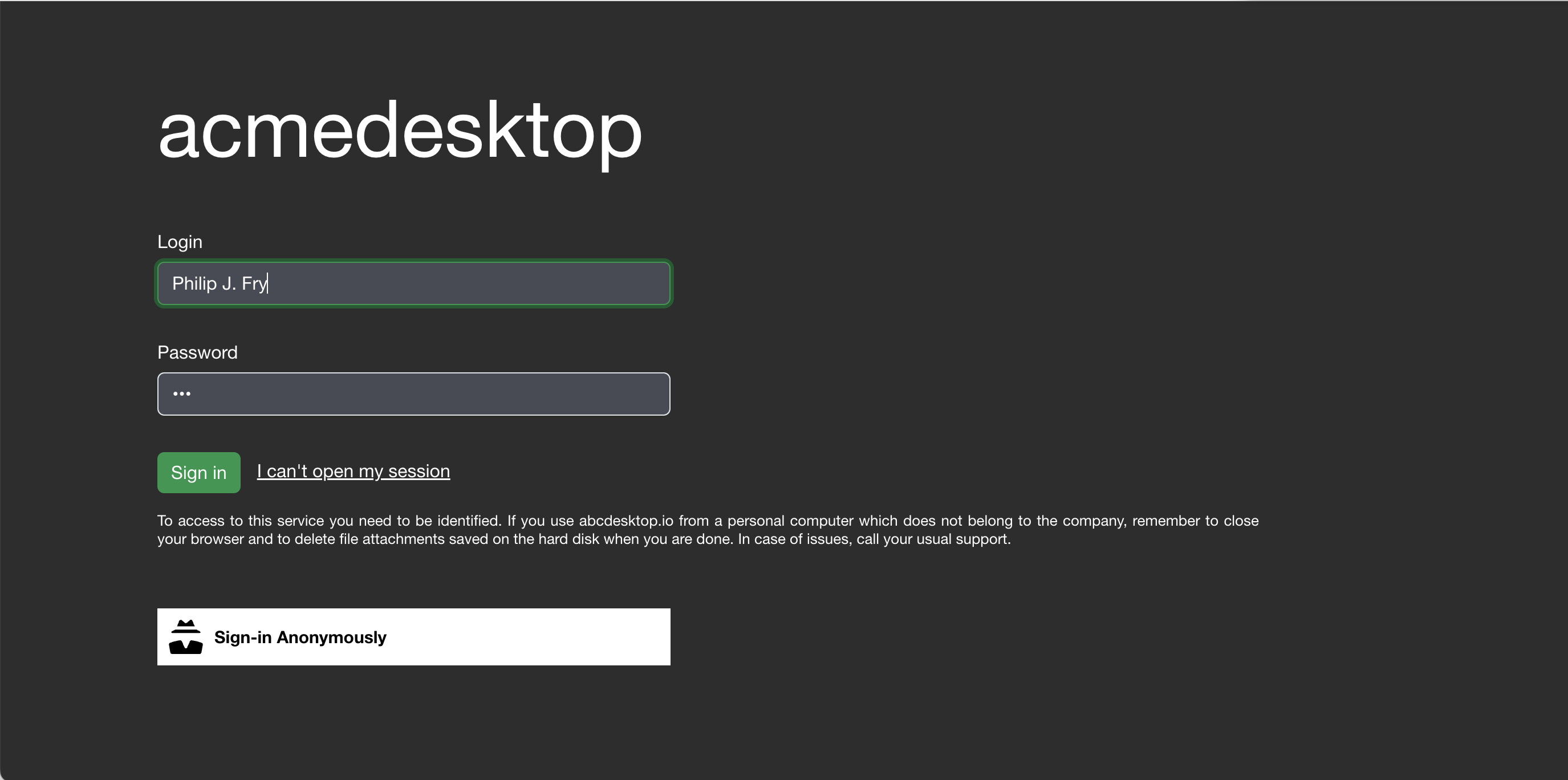
- the acmedesktop login process

- The
acmedesktopcolor theme is updated.
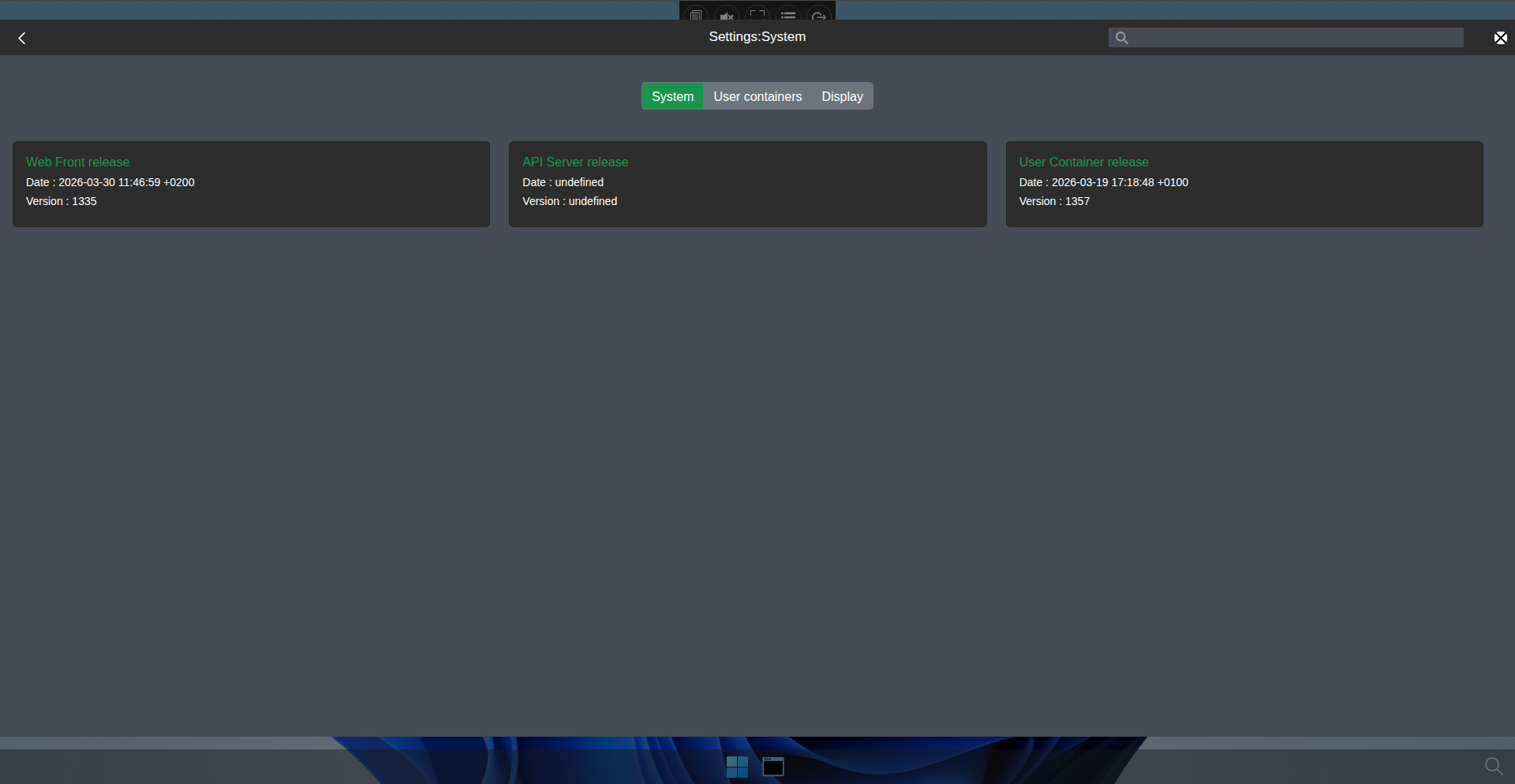
- the acmedesktop logout process