Editing the abcdesktop.io Configuration File
The abcdesktop.io configuration file is named od.config. It uses the CherryPy configuration file format. When pyos starts, it reads od.config from the abcdesktop-config ConfigMap. If the file contains a syntax error, pyos fails to start. Check the pyos logs with:
kubectl logs -l name=pyos-od -n abcdesktop
Extracting the Current Configuration
If you do not have a local copy of od.config, extract it from the abcdesktop-config ConfigMap:
kubectl -n abcdesktop get configmap abcdesktop-config -o jsonpath='{.data.od\.config}' > od.config
This command writes the current configuration to a local file named od.config.
Editing the Configuration File
Open od.config with your preferred text editor:
vim od.config
Example: Changing the Default Background Colors
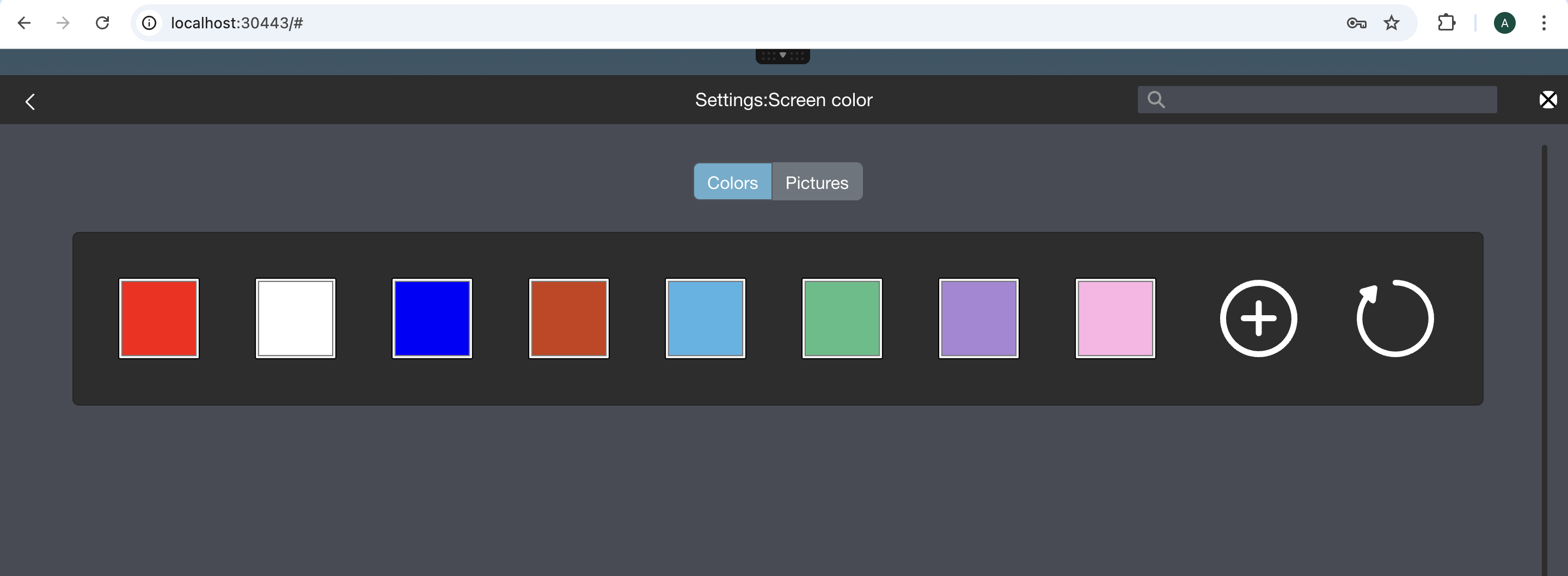
Locate the desktop.defaultbackgroundcolors entry and update it with new color values:
desktop.defaultbackgroundcolors : [ '#FF0000', '#FFFFFF', '#0000FF', '#CD3C14', '#4BB4E6', '#50BE87', '#A885D8', '#FFB4E6' ]
Save the updated od.config file.
JSON Dictionary Syntax
When defining a dictionary, the closing `}` must appear on the same line as the last entry. Example:
authmanagers: {
  'external': {},
  'explicit': {},
  'implicit': {}}
Applying the Updated Configuration
Replace the abcdesktop-config ConfigMap with the updated file and restart the pyos deployment:
kubectl create -n abcdesktop configmap abcdesktop-config --from-file=od.config  -o yaml --dry-run | kubectl replace -n abcdesktop -f -
kubectl rollout restart deployment pyos-od -n abcdesktop
Verifying the Changes
Open a web browser and navigate to http://localhost:30443. Sign in using the anonymous authentication provider.
In the top-right menu, go to Settings → Screen Colors. The new background colors defined in od.config should be available for selection.
You can update the od.config file at any time using this procedure.