Build a sample xedit application with a custom icon from scratch
Goal: Build and register a new X11 application container (xedit) with a custom icon in an abcdesktop.io instance.
Requirements
You need to have:
- A Kubernetes cluster with abcdesktop.io installed and running.
kubectlormicrok8sconfigured to communicate with your cluster.dockercommand-line tool installed.- Your own public or private container registry.
Create a simple application xedit
To illustrate a straightforward application integration, this guide walks through installing xedit from the x11-apps package inside a container image and registering it with the platform.
- Create a Dockerfile to install the
xeditapplication from thex11-appspackage
FROM ubuntu
RUN apt-get update && apt-get install -y --no-install-recommends x11-apps && apt-get clean
LABEL oc.launch=xedit.Xedit
LABEL oc.icon=pencil.svg
LABEL oc.icondata="PHN2ZyB4bWxucz0iaHR0cDovL3d3dy53My5vcmcvMjAwMC9zdmciIHdpZHRoPSIxNiIgaGVpZ2h0PSIxNiIgZmlsbD0iY3VycmVudENvbG9yIiBjbGFzcz0iYmkgYmktcGVuY2lsIiB2aWV3Qm94PSIwIDAgMTYgMTYiPgogIDxwYXRoIGQ9Ik0
xMi4xNDYuMTQ2YS41LjUgMCAwIDEgLjcwOCAwbDMgM2EuNS41IDAgMCAxIDAgLjcwOGwtMTAgMTBhLjUuNSAwIDAgMS0uMTY4LjExbC01IDJhLjUuNSAwIDAgMS0uNjUtLjY1bDItNWEuNS41IDAgMCAxIC4xMS0uMTY4ek0xMS4yMDcgMi41IDEzLjUgNC43OTMgMTQuN
zkzIDMuNSAxMi41IDEuMjA3em0xLjU4NiAzTDEwLjUgMy4yMDcgNCA5LjcwN1YxMGguNWEuNS41IDAgMCAxIC41LjV2LjVoLjVhLjUuNSAwIDAgMSAuNS41di41aC4yOTN6bS05Ljc2MSA1LjE3NS0uMTA2LjEwNi0xLjUyOCAzLjgyMSAzLjgyMS0xLjUyOC4xMDYtLjE
wNkEuNS41IDAgMCAxIDUgMTIuNVYxMmgtLjVhLjUuNSAwIDAgMS0uNS0uNVYxMWgtLjVhLjUuNSAwIDAgMS0uNDY4LS4zMjUiLz4KPC9zdmc+"
CMD ["/usr/bin/xedit"]
oc.icondatais the base64-encoded content of thepencil.svgicon file.To generate the base64-encoded value, run: ``` wget https://icons.getbootstrap.com/assets/icons/pencil.svg && base64 -w0 pencil.svg
**Dockerfile description** This image is based on Ubuntu and installs the `x11-apps` package. The default command is set to `/usr/bin/xedit` via the `CMD` instruction. The `ENTRYPOINT` instruction is also supported as an alternative. * `oc.launch` label is the name of the X11 window's `WM_CLASS` * `oc.icon` is the filename of the application icon * `oc.icondata` is the base64-encoded content of the `pencil.svg` icon file  To generate the base64-encoded value, run: `wget https://icons.getbootstrap.com/assets/icons/pencil.svg && base64 -w0 pencil.svg` * Build the image for the xedit application ```bash REGISTRY=abcdesktopio docker build -t $REGISTRY/samplexedit .Replace the value of
REGISTRY=abcdesktopiowith your own registry name. If you do not have one, you can useabcdesktopio/samplexeditas a read-only Docker Hub registry.
- Push the image to your registry (only if you have your own registry)
REGISTRY=abcdesktopio
docker push $REGISTRY/samplexedit
- Inspect the image to create a JSON file
REGISTRY=abcdesktopio
docker inspect $REGISTRY/samplexedit > samplexedit.json
- Send the image to the abcdesktop pyos instance
The following commands retrieve the PYOS_POD_NAME, copy the samplexedit.json file to the /tmp directory inside the pyos pod, and submit it to the REST API server.
NAMESPACE=abcdesktop
PYOS_POD_NAME=$(kubectl get pods -l run=pyos-od -o jsonpath={.items..metadata.name} -n "$NAMESPACE" | awk '{print $1}')
kubectl cp samplexedit.json $PYOS_POD_NAME:/tmp -n $NAMESPACE
kubectl exec -i $PYOS_POD_NAME -n abcdesktop -- curl -X POST -H 'Content-Type: text/javascript' http://localhost:8000/API/manager/image -d @/tmp/samplexedit.json
The image endpoint returns a JSON document
[
  {
    "cmd": [
      "/usr/bin/xedit"
    ],
    "path": null,
    "sha_id": "sha256:bf33c7ad1e6b7205f5b8117f2b8f00455a4b9aa1575ec67064a9d96820df71ba",
    "id": "abcdesktopio/samplexedit:latest",
    "architecture": "amd64",
    "os": "linux",
    "rules": {},
    "acl": {
      "permit": [
        "all"
      ]
    },
    "launch": "xedit.Xedit",
    "wm_class": null,
    "name": "xedit",
    "icon": "pencil.svg",
    "icondata": "PHN2ZyB4bWxucz0iaHR0cDovL3d3dy53My5vcmcvMjAwMC9zdmciIHdpZHRoPSIxNiIgaGVpZ2h0PSIxNiIgZmlsbD0iY3VycmVudENvbG9yIiBjbGFzcz0iYmkgYmktcGVuY2lsIiB2aWV3Qm94PSIwIDAgMTYgMTYiPgogIDxwYXRoIGQ9Ik0xMi4xNDYuMTQ2YS41LjUgMCAwIDEgLjcwOCAwbDMgM2EuNS41IDAgMCAxIDAgLjcwOGwtMTAgMTBhLjUuNSAwIDAgMS0uMTY4LjExbC01IDJhLjUuNSAwIDAgMS0uNjUtLjY1bDItNWEuNS41IDAgMCAxIC4xMS0uMTY4ek0xMS4yMDcgMi41IDEzLjUgNC43OTMgMTQuNzkzIDMuNSAxMi41IDEuMjA3em0xLjU4NiAzTDEwLjUgMy4yMDcgNCA5LjcwN1YxMGguNWEuNS41IDAgMCAxIC41LjV2LjVoLjVhLjUuNSAwIDAgMSAuNS41di41aC4yOTN6bS05Ljc2MSA1LjE3NS0uMTA2LjEwNi0xLjUyOCAzLjgyMSAzLjgyMS0xLjUyOC4xMDYtLjEwNkEuNS41IDAgMCAxIDUgMTIuNVYxMmgtLjVhLjUuNSAwIDAgMS0uNS0uNVYxMWgtLjVhLjUuNSAwIDAgMS0uNDY4LS4zMjUiLz4KPC9zdmc+",
    "keyword": null,
    "uniquerunkey": null,
    "cat": null,
    "args": null,
    "execmode": null,
    "showinview": null,
    "displayname": "xedit",
    "desktopfile": null,
    "executeclassname": null,
    "runtimeClassName": null,
    "executablefilename": "xedit",
    "usedefaultapplication": false,
    "mimetype": [],
    "fileextensions": [],
    "legacyfileextensions": [],
    "secrets_requirement": null,
    "containerengine": "ephemeral_container",
    "securitycontext": {},
    "created": "2026-04-06T14:40:03.26147483+02:00"
  }
]
Execute the new application xedit
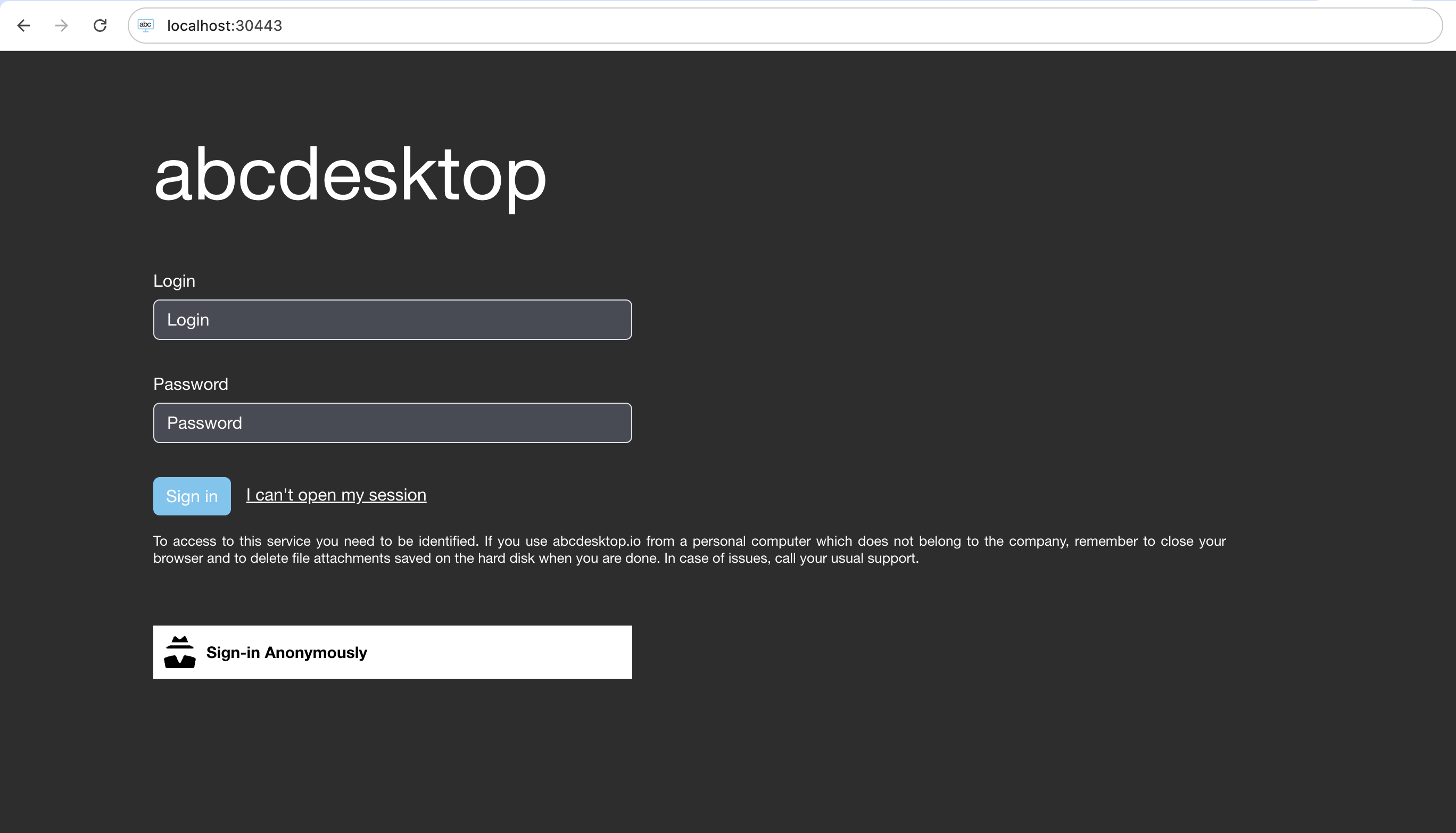
- Open your web browser, navigate to your abcdesktop URL, and log in to create a desktop
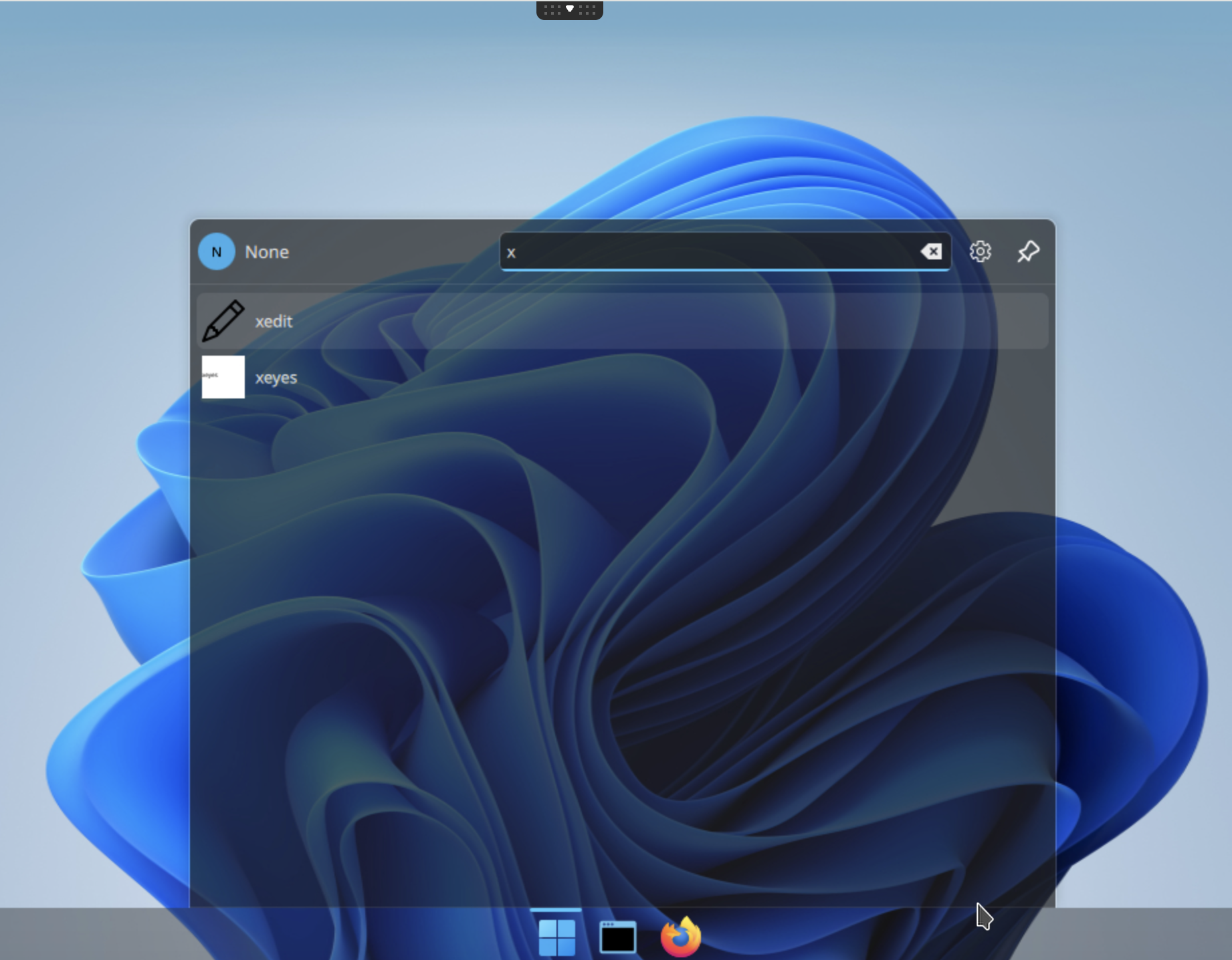
- Search for the newly registered
xeditapplication
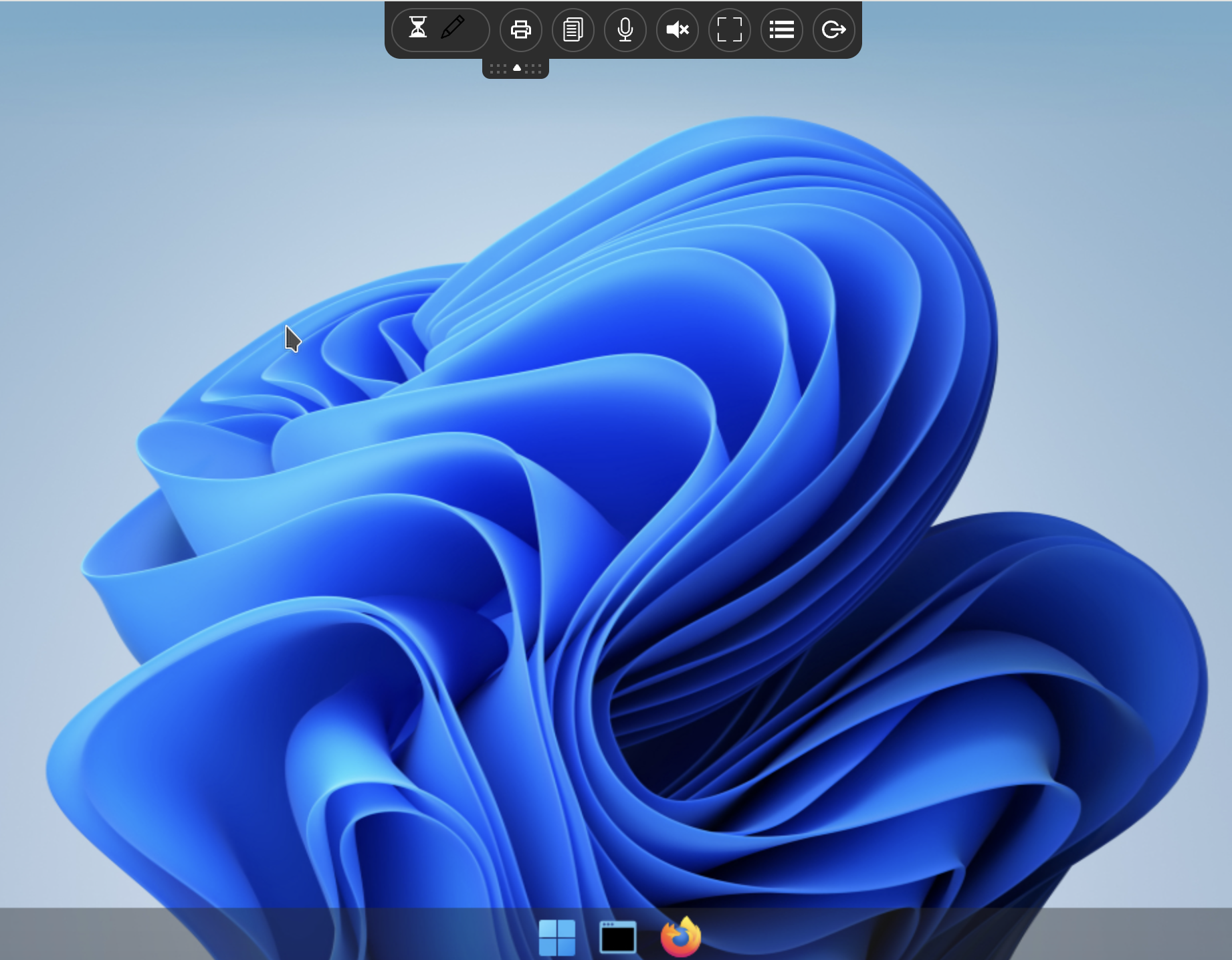
- Launch the
xeditapplication
The xedit container image is being pulled from the registry.
The xedit container is starting up.
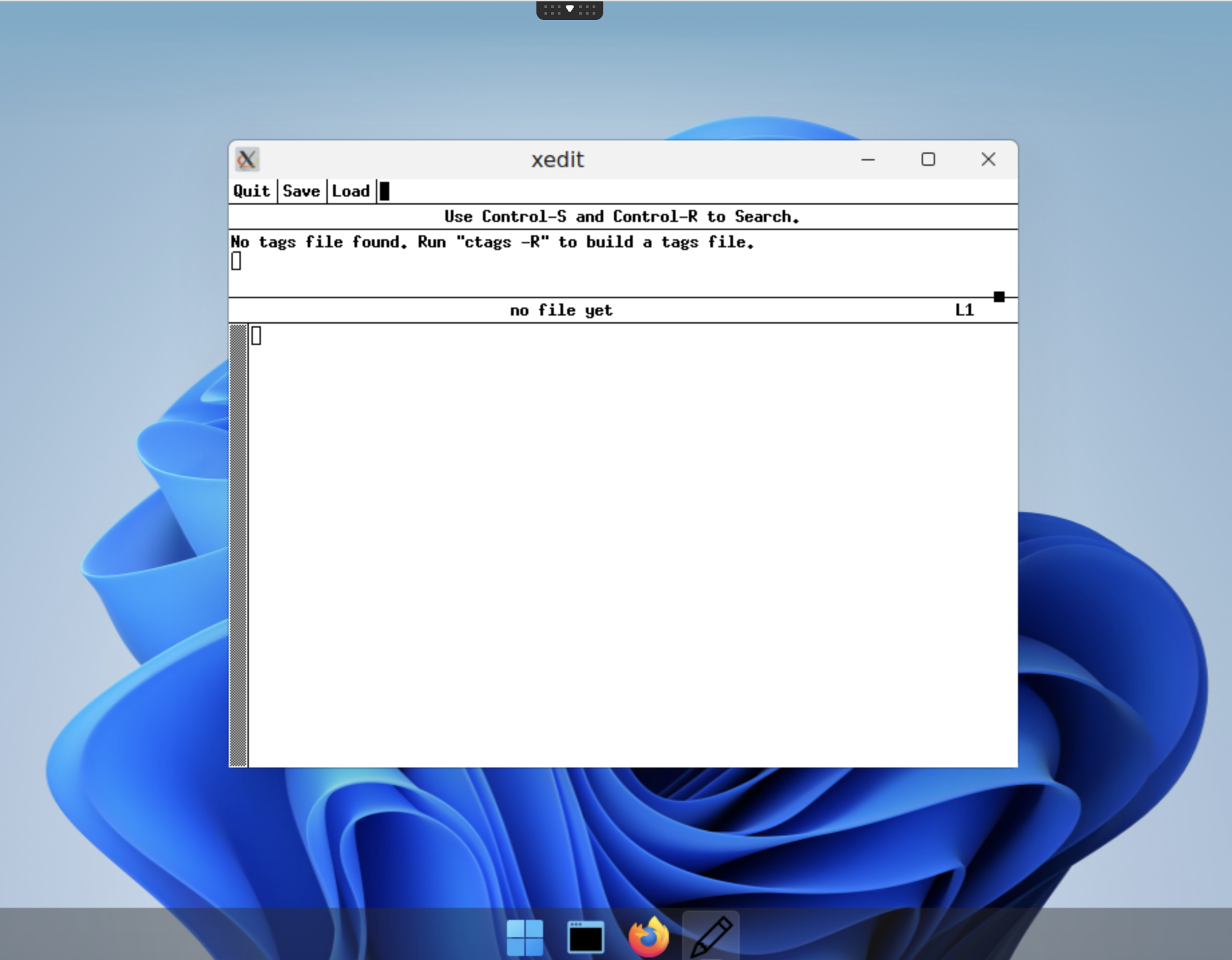
The xedit application is running.
You have successfully packaged and registered the xedit application as a container image with a custom icon.