abcdesktop.io — The Cloud-Native Desktop for the Modern Enterprise
Desktopless Computing: Security, Agility, and Digital Sovereignty on Kubernetes
Release 4.4 — 2026
www.abcdesktop.io — Open Source — GPL-2.0
Table of Contents
- Introduction — The End of the Traditional Desktop
- The Problem: Limits of the Local Workstation
- The Vision: Desktopless Computing
- Remote Browser Isolation (RBI) — Browse Without Risk
- Remote Application Isolation (RAI) — Every App, Zero Footprint
- Architecture — Kubernetes-Native Desktop Infrastructure
- Security by Design — Zero-Trust from Endpoint to Cluster
- Enterprise Integration — Authentication & Storage
- Real-World Use Cases
- ROI & Operational Benefits
- Open Source & Digital Sovereignty
- Conclusion & Getting Started
Introduction — The End of the Traditional Desktop
"The workstation as we know it is disappearing. What remains is access."
For thirty years, enterprise computing has rested on the same foundation: an operating system installed locally, applications deployed on the workstation, and data stored on a hard drive or shared file server. That model is reaching its limits.
Threats have evolved. So have usage patterns. Hybrid work, BYOD, contractors accessing corporate systems from unmanaged devices, legacy applications that can't migrate to SaaS — these are challenges the traditional desktop can no longer handle alone.
abcdesktop.io was born from this reality. It is a cloud-native virtual desktop platform built on and for Kubernetes, fundamentally rethinking how applications and work environments are delivered to users — with nothing installed on the client device, no data exposed on the endpoint, and no compromise on security.
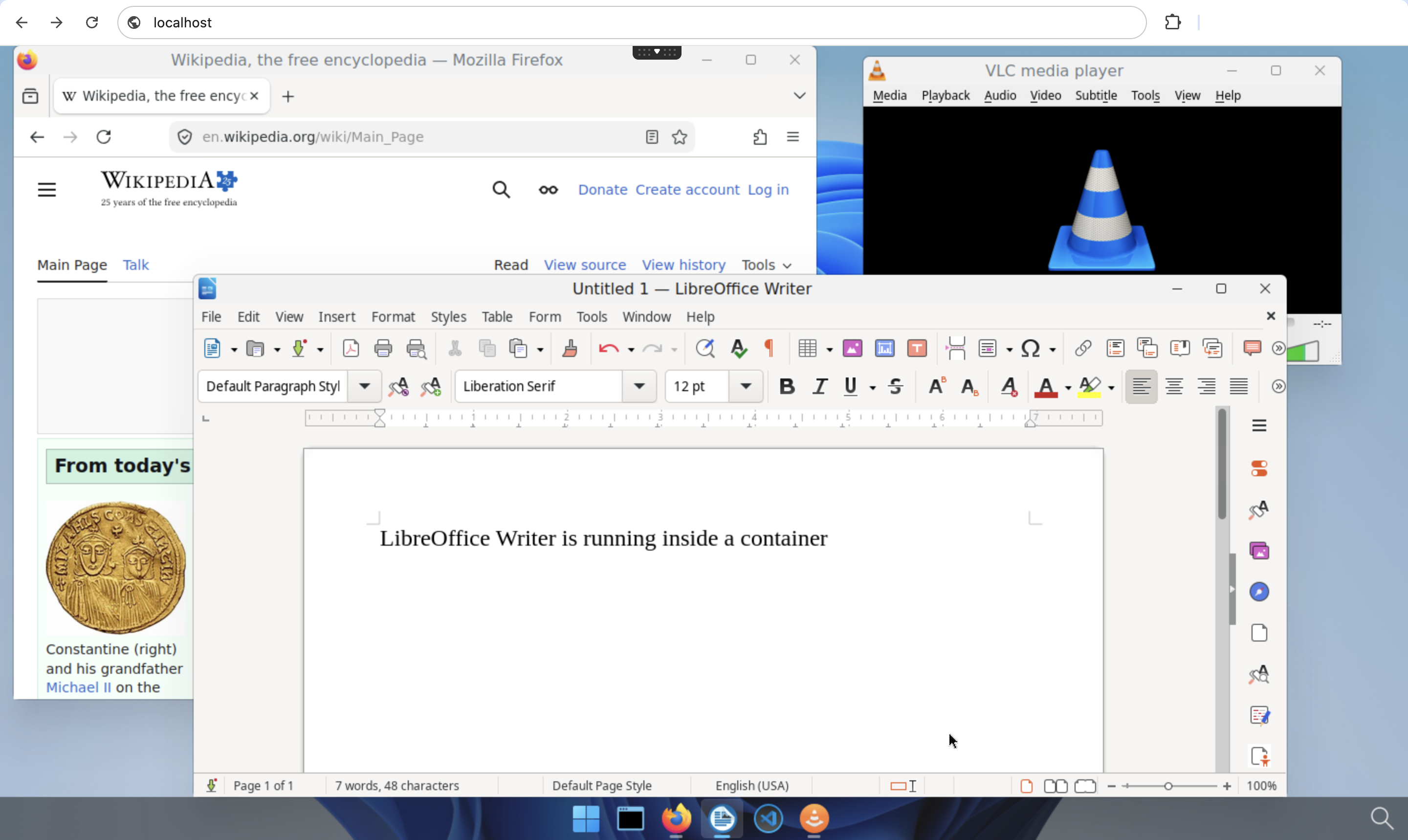
Figure 1: abcdesktop.io — Release 4.4 desktop environment, accessed from any HTML5 browser.
This ebook presents the philosophy, architecture, features, and use cases of abcdesktop.io to help you evaluate whether this approach fits your organization's needs.
Chapter 1 — The Problem: Limits of the Local Workstation
1.1 An Attack Surface That Can't Be Controlled
Every workstation is a potential entry point for an attacker. Web browsers execute third-party JavaScript. Email attachments open macros. Users install unvalidated extensions. In a local desktop model, the enterprise delegates part of its security posture to every terminal — and therefore to every user.
The numbers speak for themselves:
- 85% of cyberattacks start with a user interaction on the endpoint (phishing, drive-by downloads, malicious macros).
- The average cost of a data breach exceeds $4.5 million in 2025 (IBM Cost of a Data Breach Report).
- 60% of companies hit by ransomware identify the user workstation as the initial attack vector.
1.2 BYOD: A Necessity That Became a Risk
Hybrid work has normalized access to corporate resources from personal devices. Tablets, personal MacBooks, smartphones — devices the IT department does not manage, patch, or control. Installing a security agent on every personal device is often impossible, always expensive, and legally complex in some jurisdictions.
1.3 The Hidden Cost of the Traditional Desktop
Beyond security, the local desktop generates costs that are frequently underestimated:
- Disk image management: every software update must be deployed to thousands of workstations.
- Fleet heterogeneity: Windows 10, Windows 11, macOS, Linux — each OS demands its own support effort.
- Legacy applications: some business-critical applications cannot be migrated to SaaS and require specific runtime environments.
- Provisioning: deploying a new workstation takes time, logistics, and money.
1.4 The Need for a New Paradigm
The answer to these challenges cannot simply be "more security agents on the endpoint" or "more restrictions on users." It must be architectural: remove application execution from the terminal and move it into a controlled, isolated, centrally managed environment.
That is exactly what abcdesktop.io does.
Chapter 2 — The Vision: Desktopless Computing
2.1 The Serverless Analogy
In serverless architecture, there is no server to manage: the platform allocates resources on demand, executes the workload, then releases them. The developer focuses on code, not infrastructure.
Desktopless computing applies the same principle to the desktop:
- There is no workstation to manage.
- The platform allocates a desktop environment on demand inside a Kubernetes cluster.
- The user connects from their web browser.
- When the session ends, the environment is deleted — no residue, no data left on the terminal.
2.2 The Terminal as a Screen — Nothing More
In the abcdesktop.io model, the user's terminal executes no application code. It receives only an encrypted pixel stream via HTML5 WebSocket. It is the equivalent of a passive terminal from the 1980s — but accessible from any modern browser, without plugins, without a thick client.
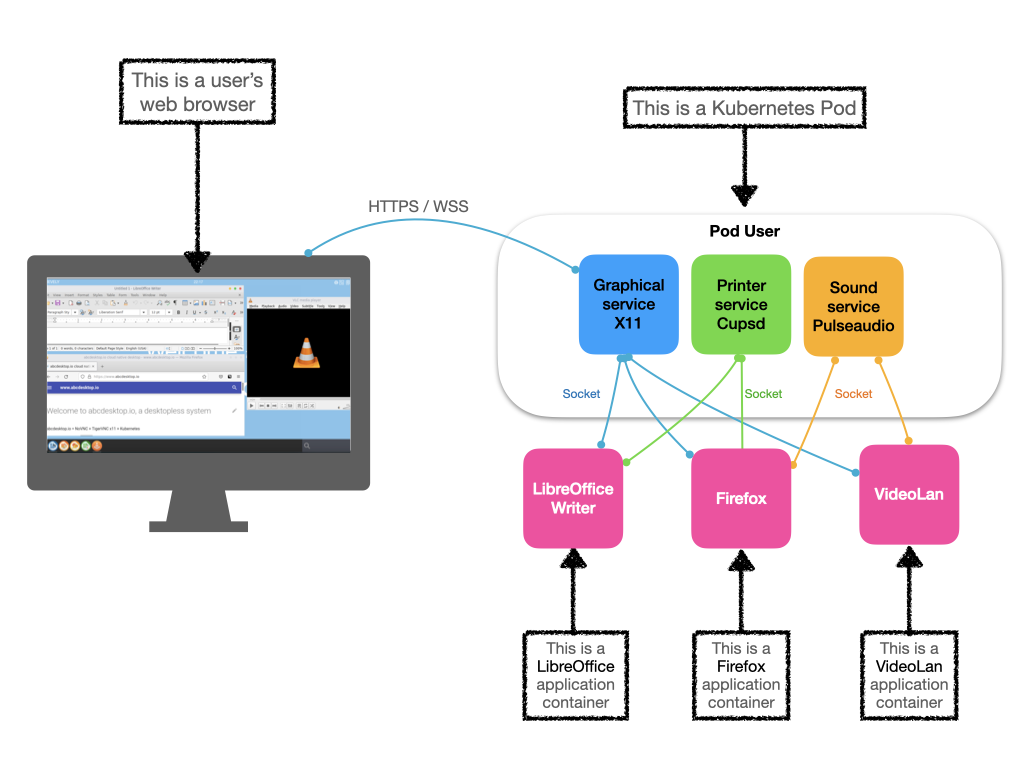
Figure 2: The user pod model — each user gets a dedicated Kubernetes pod; only rendered pixels reach the endpoint.
2.3 Ephemeral Desktop, Persistent Data
The ephemeral nature of the desktop does not mean data loss. Home directories are mounted from persistent volumes (NFS, S3, Kubernetes PVCs) and remain accessible across sessions. Only the execution environment is ephemeral — which is precisely the attack vector eliminated.
Chapter 3 — Remote Browser Isolation (RBI) — Browse Without Risk
3.1 The Browser: The Endpoint's Biggest Threat
The web browser is the most exposed application on any workstation. It executes arbitrary JavaScript, loads resources from thousands of third-party domains, and interacts with the local filesystem. Every tab is a potential attack surface.
Traditional solutions — DNS filtering, application proxy, antivirus — attempt to detect threats after they have reached the terminal. This is a losing race against attackers who constantly refresh their techniques.
3.2 Isolation as an Alternative to Detection
Remote Browser Isolation takes a radically different approach: instead of detecting threats, it renders them harmless by never letting web code reach the terminal.
With abcdesktop.io:
- The user opens a browser (Firefox, Chromium) from their abcdesktop web interface.
- The browser runs inside a dedicated Kubernetes container, server-side.
- Only the graphical output — pixels — is transmitted to the user's browser via encrypted WebSocket.
- When the session closes, the container is destroyed. No cookies, no history, no downloaded files remain on the terminal.
3.3 Security Guarantees
| Threat | abcdesktop.io RBI Protection |
|---|---|
| Drive-by download | Files downloaded inside the isolated container, never on the endpoint |
| Malicious JavaScript | Executed in the container, isolated from the corporate network |
| Clipboard exfiltration | Server-side clipboard filtering and inspection |
| Browser exploit | Container destroyed at session end, no residue |
| Session cookie theft | Cookies confined to the container |
| Browser fingerprinting | Uniform container image, not tied to user hardware |
3.4 Centralized Network Traffic Control
All network flows from the browser transit through the Kubernetes cluster's egress point — not through the user's workstation. This enables:
- Centralized filtering of all web requests.
- DLP inspection (Data Loss Prevention) of outbound traffic.
- Complete audit logging of browsing activity, without any agent on the terminal.
- Default deny outbound (as demonstrated in the public abcdesktop.io demo).
Chapter 4 — Remote Application Isolation (RAI) — Every App, Zero Footprint
4.1 Beyond the Browser
Remote Browser Isolation is a special case of a broader paradigm: Remote Application Isolation. With abcdesktop.io, any graphical application can be delivered to any terminal — with the same level of isolation.
Natively supported runtimes:
- GNU/Linux X11 applications: LibreOffice, GIMP, Inkscape, code editors, terminals.
- Console applications: shells, CLI tools, interpreters.
- Windows applications: via Wine, without additional Windows licenses.
- GPU-intensive tools: with NVIDIA GPU assignment to application containers.
- Web browsers: Firefox, Chromium, for the RBI use case.
4.2 One Application = One Container
Each application launched by a user runs in its own dedicated container, managed by Kubernetes. This granularity delivers several advantages:
- Cross-application isolation: a compromised application cannot access another application's data.
- Resource management: CPU, RAM, and GPU are allocated per application, without contention.
- Independent updates: updating LibreOffice does not impact other running applications.
- Full traceability: every application launch is recorded in the audit logs.
4.3 Application Lifecycle via OCI Labels
abcdesktop.io applications are packaged as OCI (Docker) images enriched with standardized labels. These labels describe the application name, icon, required resources, network permissions, and access policy. The IT team maintains an application catalog in a private registry, and users access that catalog from their desktop without any local installation.
FROM ubuntu:24.04
LABEL oc.icon="libreoffice.svg"
LABEL oc.keyword="office,writer,calc"
LABEL oc.launch="libreoffice"
LABEL oc.name="LibreOffice"
LABEL oc.executeclasses="desktop"
4.4 Legacy Application Modernization Without Refactoring
One of the most powerful use cases is modernization without code changes: a 32-bit Windows application, a twenty-year-old X11 tool, or a business application whose source code has been lost can all be packaged in an OCI container and delivered to any modern terminal — unmodified, unrefactored, with no dependency on the endpoint.
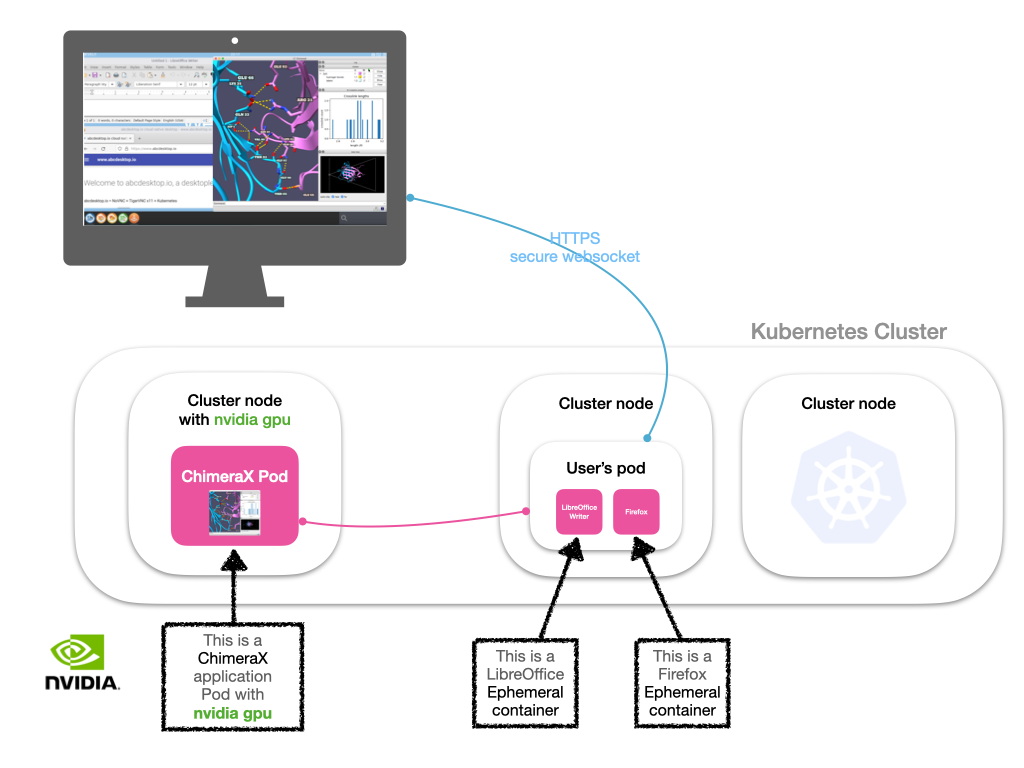
Figure 3: abcdesktop.io distributes user workloads across the Kubernetes cluster — each user pod runs on a dedicated node, with application containers launched on demand.
Chapter 5 — Architecture — Kubernetes-Native Desktop Infrastructure
5.1 Overview
abcdesktop.io is a cloud-native application deployed on a standard Kubernetes cluster. It relies on Kubernetes primitives — pods, services, namespaces, persistent volumes, network policies — to deliver a scalable, resilient, and secure desktop environment.
                    ┌──────────────────────────────────────────┐
                    │           Kubernetes Cluster             │
                    │                                          │
  ┌──────────┐      │  ┌──────────┐   ┌────────────────────┐   │
  │ Browser  │─────▶│  │  Router  │──▶│  pyos (API ctrl)   │   │
  │ (client) │      │  │ (nginx)  │   └─────────┬──────────┘   │
  └──────────┘      │  └──────────┘             │              │
                    │                 ┌──────────▼───────────┐ │
                    │                 │     User Pod         │ │
                    │                 │  ┌────────────────┐  │ │
                    │                 │  │  graphical     │  │ │
                    │                 │  │  (X11 / VNC)   │  │ │
                    │                 │  ├────────────────┤  │ │
                    │                 │  │  sound         │  │ │
                    │                 │  │  (PulseAudio)  │  │ │
                    │                 │  ├────────────────┤  │ │
                    │                 │  │  printer       │  │ │
                    │                 │  │  (CUPS)        │  │ │
                    │                 │  ├────────────────┤  │ │
                    │                 │  │  filer         │  │ │
                    │                 │  │  (file xfer)   │  │ │
                    │                 │  └────────────────┘  │ │
                    │                 │  + ephemeral app     │ │
                    │                 │    containers        │ │
                    │                 └──────────────────────┘ │
                    │                                          │
                    │  ┌──────────┐   ┌──────────┐             │
                    │  │ MongoDB  │   │Memcached │             │
                    │  └──────────┘   └──────────┘             │
                    └──────────────────────────────────────────┘
5.2 Core Components
| Component | Role |
|---|---|
| Router (nginx + Lua) | HTTP/WebSocket entry point, TLS termination, JWT validation, pod routing |
| pyos | Python control plane (FastAPI): authentication, pod orchestration, REST API |
| website | Static HTML5 frontend delivery (JavaScript, SVG assets) |
| User Pod | One pod per user: graphical (VNC), sound (PulseAudio), printer (CUPS), filer |
| App Containers | Ephemeral containers launched inside the user pod for each application |
| MongoDB | Persistent store for configuration, session records, and app registry |
| Memcached | Session cache and JWT token store |
| console | Web-based administration console |
5.3 One Pod Per User
The fundamental principle is strict isolation between users: each authenticated user receives their own Kubernetes pod, with their own network namespace, their own volumes, and their own allocated resources. There is no cross-execution, no process sharing between two different users.
5.4 Native Scalability
abcdesktop.io leverages the Kubernetes scheduler to distribute user pods across all cluster nodes. Horizontal node autoscaling (HPA / Cluster Autoscaler) absorbs load peaks — morning login bursts, training sessions — without permanent over-provisioning.
5.5 Session Resilience and Business Continuity
abcdesktop.io sessions survive transient network interruptions. If the WebSocket connection is dropped (unstable network, Wi-Fi handoff), the user pod continues running server-side. On reconnection, the user finds their desktop exactly as they left it.
Chapter 6 — Security by Design — Zero-Trust from Endpoint to Cluster
6.1 Zero-Trust Applied to the Desktop
Zero-trust is often framed as a network access management principle. abcdesktop.io applies it to the desktop infrastructure itself:
- The terminal trusts nothing: it executes no application code, stores no sensitive data.
- The cluster trusts no pod by default: Kubernetes Network Policies strictly control flows between pods.
- Every session is authenticated and encrypted: RSA-signed JWT for the desktop, TLS for the WebSocket transport.
6.2 Per-User Network Namespace Isolation
Each user pod runs in its own Kubernetes network namespace. Network Policies precisely define which flows are permitted:
- One user's pod cannot communicate with another user's pod.
- Outbound internet traffic can be blocked by default (as in the public demo).
- AD group-based rules allow certain users to reach specific network segments.
6.3 Clipboard Isolation
Content copied by the user from their local terminal is transmitted to the server via the abcdesktop protocol, where it can be inspected, filtered, and logged before being injected into the virtual desktop. This feature is essential for high-security environments (defense, finance, healthcare) where data exfiltration via copy-paste is a real threat vector.
6.4 JWT Security Architecture
All tokens are cryptographically signed:
- User JWT: issued by pyos after successful authentication, signed with an RSA private key.
- Desktop JWT: payload additionally encrypted with a separate RSA key pair, preventing clients from inspecting or tampering with pod IP addressing information.
- No pod IP exposed to the client: the router decrypts the pod address internally and proxies the WebSocket connection transparently.
6.5 Attack Surface Comparison
| Attack Surface | Traditional Desktop | abcdesktop.io |
|---|---|---|
| Code executed on the endpoint | Full applications | None (pixels only) |
| Data stored locally | Yes | No |
| Mandatory endpoint patching | Yes | Browser only |
| Exposure to application exploits | Full endpoint | Isolated, ephemeral container |
| Blast radius if compromised | Endpoint + reachable network | Single container only |
| Cross-user data leakage | Possible (shared OS) | Impossible (separate namespaces) |
6.6 Audit Logging and Observability
Every significant action is logged:
- Authentication events (success, failure, source IP).
- Application launch and shutdown.
- Session connect and disconnect.
- File operations (depending on configuration).
Logs are exported to Syslog, Graylog, Prometheus/Grafana for integration with the existing SOC.
Chapter 7 — Enterprise Integration — Authentication & Storage
7.1 Authentication: Universal Enterprise Compatibility
abcdesktop.io integrates with all existing enterprise identity systems, without modifying the directory.
Supported protocols:
- OAuth 2.0 / OpenID Connect: Google Workspace, GitHub, Keycloak, Azure AD, Okta, Facebook, any OIDC-compliant provider.
- LDAP / LDAPS: bind authentication on any LDAP directory, including OpenLDAP.
- Active Directory: Kerberos (TGT tickets), NTLM, AD group management, homeDirectory, UPN.
- Meta Directory: multi-domain authentication with cross-forest AD trust (
metaexplicit). - SSL/TLS client certificates: mutual TLS authentication (logmein) for high-security environments.
- Anonymous access: for open-access deployments (kiosks, public training sessions).
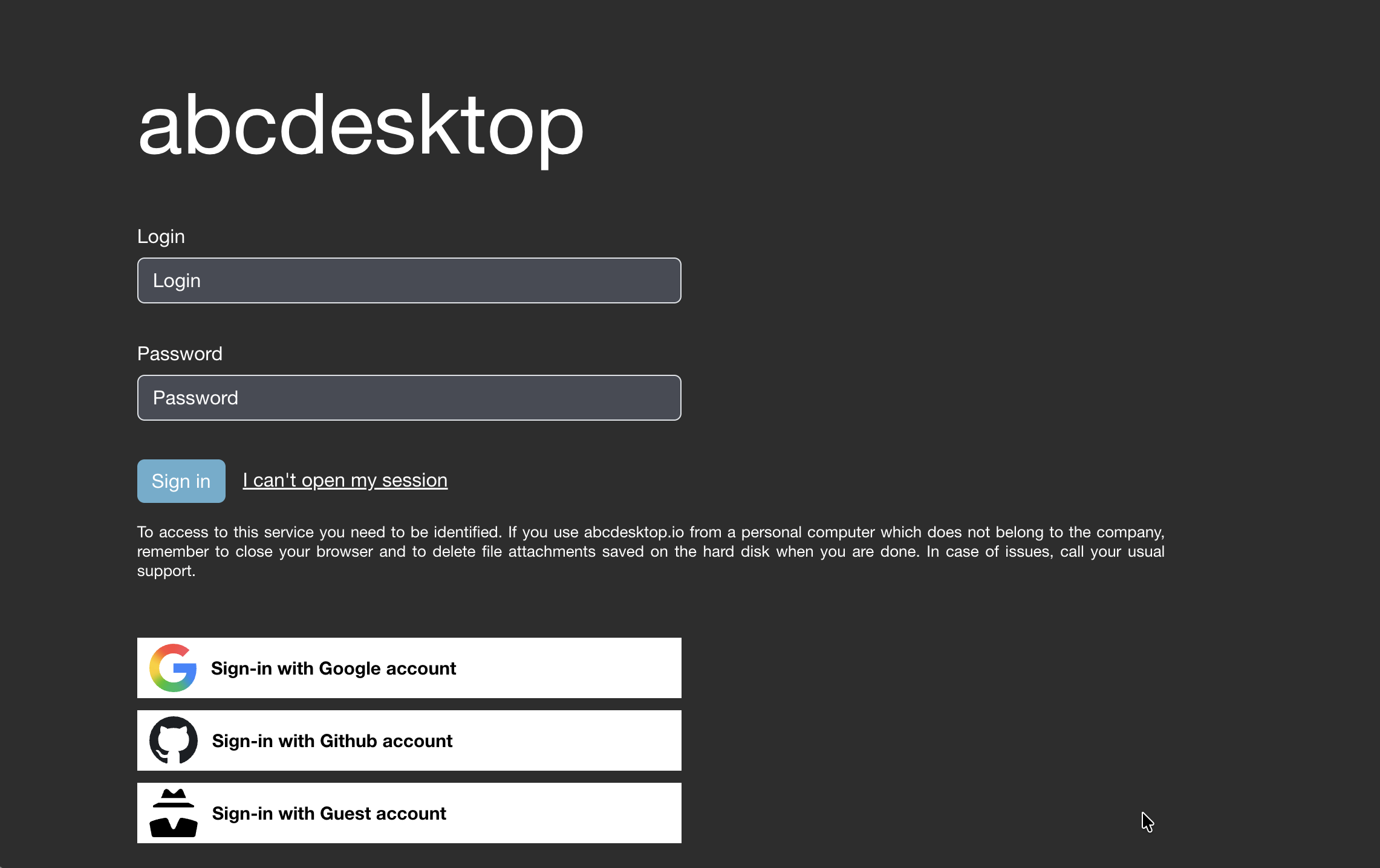
Figure 4: The abcdesktop.io login page with all authentication providers configured simultaneously — LDAP, OAuth (Google, GitHub, Facebook), and anonymous access.
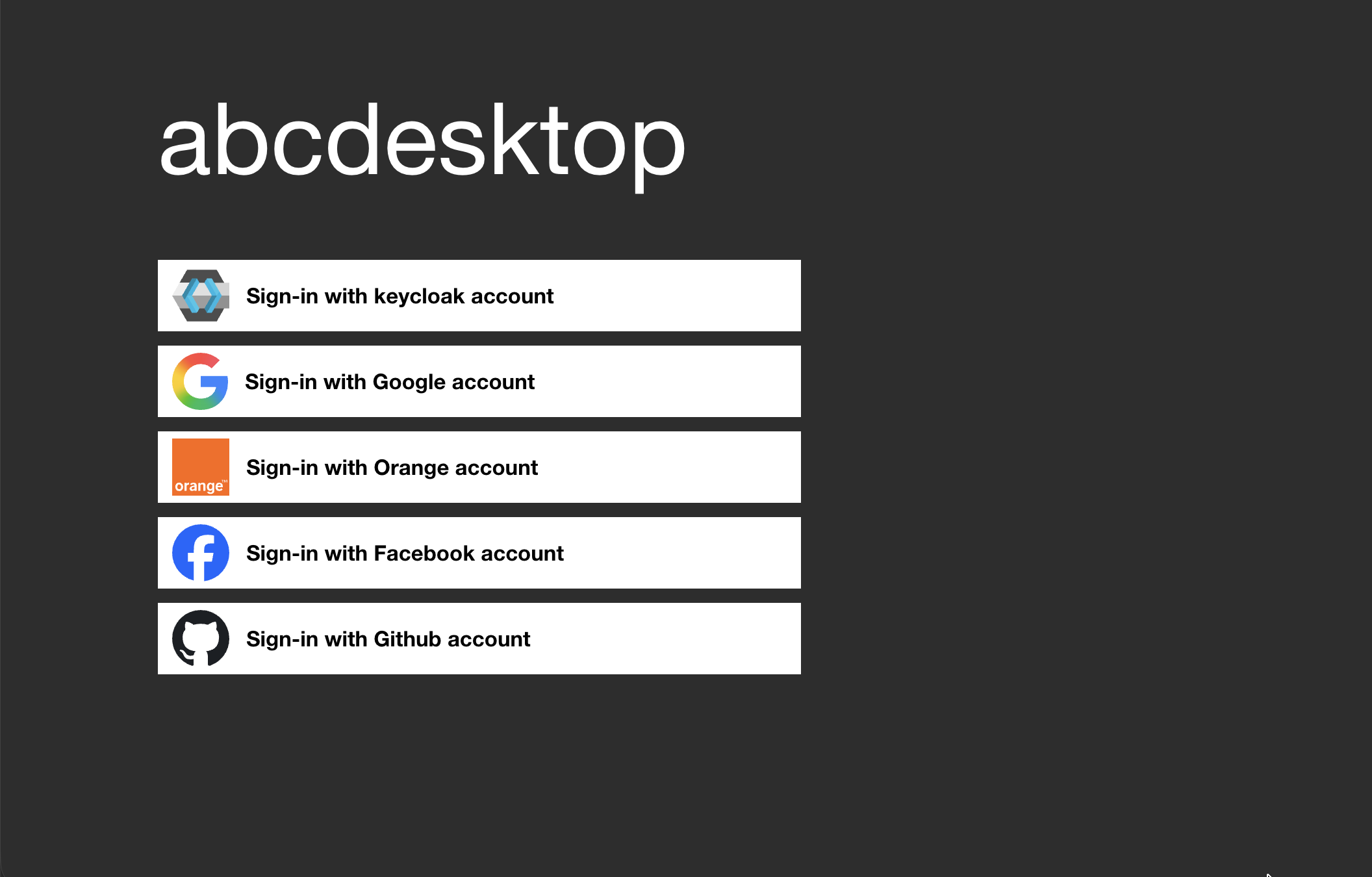
Figure 5: External OAuth 2.0 / OpenID Connect authentication — users sign in with their Google, GitHub, or any OIDC provider account.
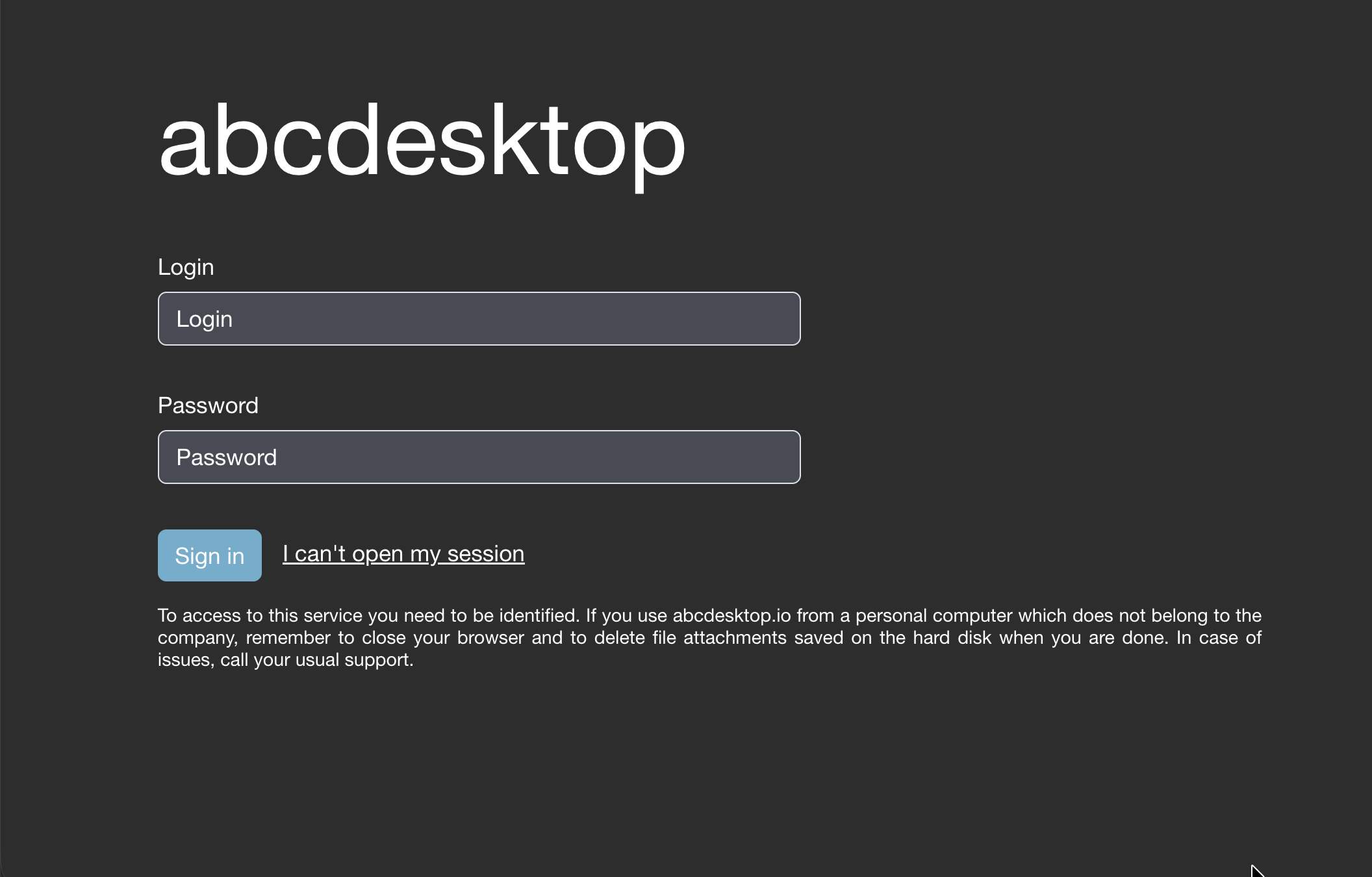
Figure 6: Explicit LDAP / Active Directory authentication — enterprise username and password login.
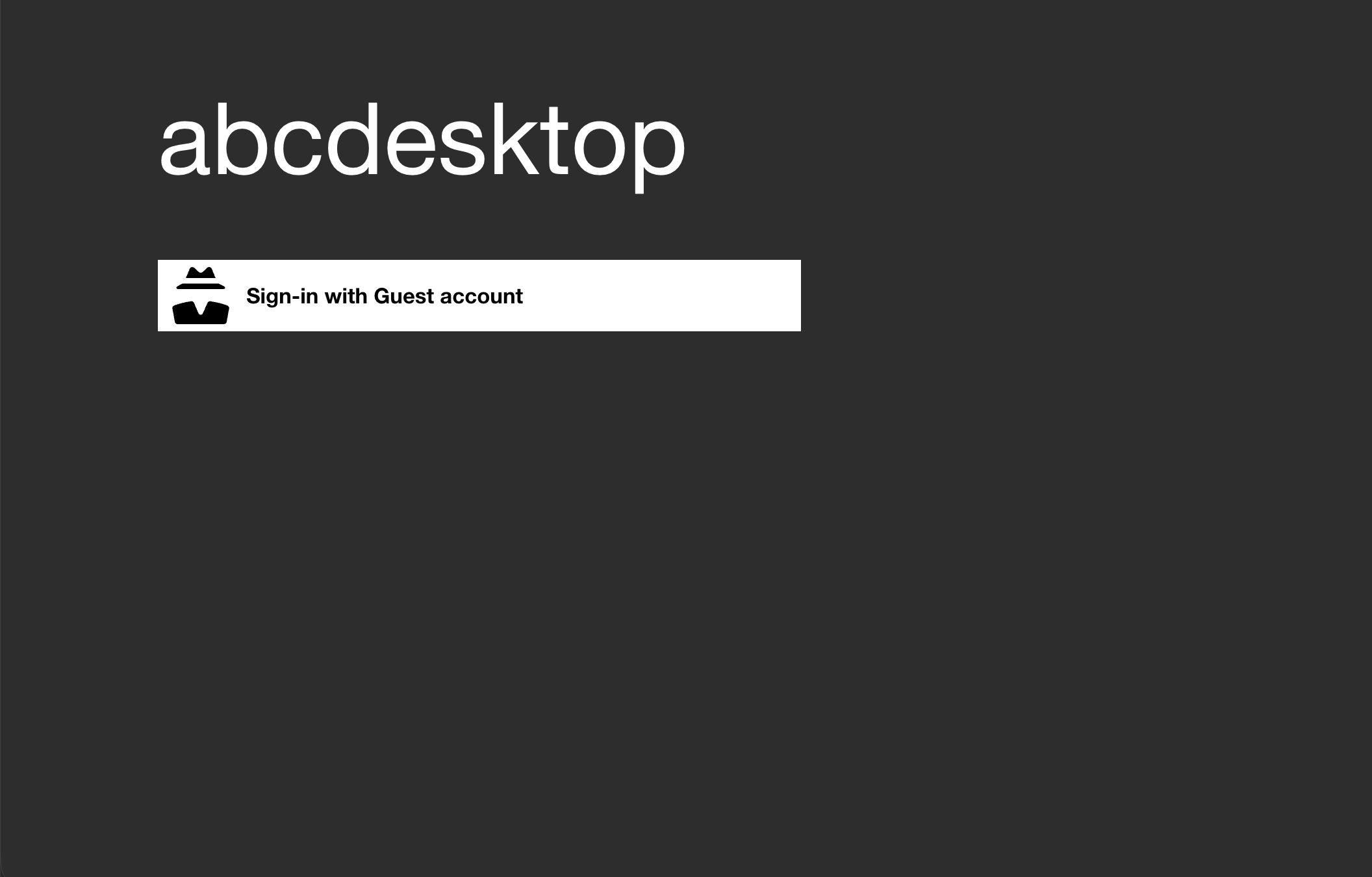
Figure 7: Anonymous (implicit) authentication — instant access with no credentials, ideal for training environments and kiosks.
7.2 Attribute-Based Access Rules
Access rules can be defined based on LDAP/AD attributes: group membership, department, country, custom attributes. This enables, for example:
- Allowing only members of
VPN-Adminsto launch PuTTY. - Restricting desktop access to specific time windows.
- Applying different resource quotas based on user profile.
7.3 Storage: Flexibility and Continuity
The user's home directory is accessible inside their pod via Kubernetes volumes:
| Backend | Use Case |
|---|---|
| NFS | Classic home directories, homeDirectory AD compatibility |
| HostPath | Direct node volume access, HPC use cases |
| S3 / Object Storage | Cloud-native storage, compatible with AWS S3, MinIO, OVH Object Storage |
| Persistent Volume Claim | Standard Kubernetes volumes, any CSI driver |
| CIFS/SMB (FlexVolume) | Legacy compatibility with Windows file servers |
| Shared volumes | Directory sharing across multiple user pods |
7.4 Printing and Audio
abcdesktop.io natively integrates:
- CUPS: printing from the virtual desktop to enterprise network printers.
- PulseAudio / FFmpeg: audio streaming from the desktop to the client browser, for multimedia applications or video conferencing.
Chapter 8 — Real-World Use Cases
8.1 Remote Browser Isolation (RBI)
Context: A bank wants its trading floor operators to access the internet without exposing trading network workstations.
Solution: Firefox runs in an isolated abcdesktop container. All web traffic exits through the cluster, inspected by a DLP proxy. The operator browses the internet from their corporate browser — but no web content ever reaches their physical workstation.
Result: Zero endpoint infection risk. 100% traffic auditability. No security agent required on the terminal.
8.2 Remote Work and Telecommuting
Context: An industrial company needs its engineers to work from home on CAD tools and business-specific applications.
Solution: Engineers connect from their personal MacBook via Chrome. They find their full Linux desktop with CAD applications (FreeCAD, KiCad) already installed in Docker images maintained by the IT team. No VPN required, no thick client, no data on the personal laptop.
Result: Secure remote access from day one, without provisioning new hardware.
8.3 BYOD — Bring Your Own Device
Context: A services firm wants its consultants to access internal tools from their personal computers.
Solution: Consultants receive a URL and temporary LDAP credentials. From their browser, they access an abcdesktop desktop with only the applications authorized for their engagement. No data is copied to their personal machine. When the account expires, access is revoked and the pod is deleted.
Result: Full corporate capability on personal devices, with enterprise-grade security and no MDM enrollment.
8.4 Temporary Contractor Access
Context: An industrial group engages contractors for 3–6 month missions requiring access to sensitive design tools.
Solution: Time-limited Active Directory accounts are created with an expiration date. abcdesktop.io delivers a pre-configured desktop with the necessary tools. The garbage collector automatically removes abandoned sessions. When the account expires, access disappears without manual intervention.
Result: Zero residual access risk. Zero off-boarding effort.
8.5 Security Zone Separation
Context: A critical infrastructure operator (OT/ICS) must allow operators to access both a sensitive SCADA network and the internet from the same physical workstation.
Solution: Two abcdesktop profiles are configured. The first desktop is isolated on the SCADA network, with no internet access. The second desktop is isolated on the corporate network, with no SCADA access. The operator switches between the two via their browser. The physical workstation is a thin client that touches neither network directly.
Result: Hardware-enforced network separation. No bastion host. No jump server. No dual-boot.
8.6 Training Environments
Context: A training organization wants to deploy pre-configured lab environments for 200 learners simultaneously.
Solution: A Docker image pre-loaded with all course tools is published to the registry. Learners connect with an anonymous or LDAP account. Each receives an independent pod. At session end, pods are deleted and resources released automatically.
Result: Zero provisioning effort per learner. Instant scale-up for large cohorts. Pay-per-use cost model.
8.7 Sovereign Cloud Desktop
Context: A public administration must process personal data (GDPR) and sensitive information, with mandatory on-territory hosting.
Solution: abcdesktop.io is deployed on an on-premise Kubernetes cluster or a sovereign cloud (OVHcloud, Outscale). All data remains on national territory. abcdesktop.io is 100% open source, with no dependency on any proprietary vendor.
Result: Full data sovereignty. No foreign cloud dependency. GDPR, HDS, and NIS2 compatible.
8.8 Legacy Application Modernization
Context: An automotive manufacturer uses a production management application developed in 1998 on Windows XP — still essential, impossible to migrate.
Solution: The application is packaged in a Docker container with Wine and the required Windows libraries. It is delivered via abcdesktop to all production floor operators, from thin clients, without maintaining a fleet of physical Windows XP machines.
Result: Modern delivery, legacy application. Zero refactoring. Full compatibility.
8.9 Desktop as a Service (DaaS)
Context: A telecom operator wants to offer a cloud desktop to its SMB customers, without dedicated infrastructure per customer.
Solution: abcdesktop.io is deployed on a multi-tenant Kubernetes cluster. Each SMB customer has their own isolated namespace, their own LDAP directory, and a custom application catalog. Billing is based on Prometheus metrics exported by abcdesktop.
Result: Scalable DaaS offering on standard Kubernetes. Per-customer isolation. Usage-based billing.
8.10 GPU-Shared AI/ML Workloads
Context: A data science team needs shared access to NVIDIA GPUs for visualization and model training.
Solution: abcdesktop.io enables NVIDIA GPU assignment to ephemeral application containers. A data scientist launches a Jupyter instance or GPU visualization tool from their abcdesktop desktop, uses the GPU for their session duration, then releases the resource automatically.
Result: GPU utilization maximized. No dedicated GPU workstation per user. Full session isolation.
Chapter 9 — ROI & Operational Benefits
9.1 Deployment Cost Reduction
The abcdesktop model eliminates several traditional cost centers:
| Traditional Cost | With abcdesktop.io |
|---|---|
| Disk image deployment on workstations | Docker image update in the registry |
| Antivirus on every endpoint | Not required (no code executed locally) |
| VPN for remote work | Standard web browser (HTTPS/WSS) |
| Windows licenses per workstation | Consolidated on the cluster (or eliminated via Wine) |
| Physical workstation management (MDM) | Reduced to thin client management |
| On-site provisioning visits | Eliminated — account creation = desktop ready |
9.2 Accelerated Onboarding
Provisioning a new employee reduces to:
- Create an account in the directory (AD/LDAP).
- The user connects from any browser.
- Their desktop is automatically provisioned by abcdesktop in seconds.
No hardware order, no image deployment, no on-site intervention.
9.3 Enhanced Business Continuity
If a physical workstation fails, the user reconnects from any other device and finds their desktop in the exact state where they left it. Hardware becomes interchangeable.
9.4 Elastic Cost Model
In a cloud deployment, infrastructure costs are directly proportional to actual usage. The abcdesktop garbage collector automatically removes abandoned sessions, releasing resources. On weekends or at night, the cluster scales down automatically.
9.5 Compliance and Auditability
Centralized logs (Graylog, Syslog) and Prometheus metrics make it straightforward to meet regulatory audit requirements (ISO 27001, GDPR, HDS, HIPAA, NIS2) without additional effort. Every access is traced with the user identity, source IP, application launched, and session duration.
9.6 Summary: Key Performance Indicators
| KPI | Traditional Desktop | abcdesktop.io |
|---|---|---|
| Time to provision new user | Hours to days | Seconds |
| Security agent deployments | 1 per endpoint | 0 |
| Application update cycle | Weeks (image rebuild + deploy) | Hours (registry push) |
| Hardware required at endpoint | Full workstation | Any HTML5 browser device |
| Data at rest on endpoint | Yes | No |
| Session audit coverage | Partial | 100% |
Chapter 10 — Open Source & Digital Sovereignty
10.1 A 100% Open Source Solution
abcdesktop.io is published under a free license (GPL-2.0) on GitHub: github.com/abcdesktopio. The complete source code — the Python control plane (pyos), frontend modules, system component images — is publicly available, auditable, and modifiable.
What this means for your organization:
- No vendor lock-in: you are not dependent on a vendor that can change its pricing policy or discontinue its product.
- Security auditability: your team or an independent third party can audit the code.
- Full customization: the interface, authentication workflows, security policies — everything can be adapted to your needs.
- Long-term sustainability: even if the main project slows down, your organization can maintain its own fork.
10.2 Multi-Cloud and On-Premise Compatibility
abcdesktop.io runs on any conformant Kubernetes cluster, regardless of the underlying infrastructure:
| Infrastructure | Support |
|---|---|
| On-premise (bare metal, VMware) | ✅ Documented |
| Kind / Minikube (development) | ✅ Documented |
| Amazon EKS (AWS) | ✅ Documented |
| Azure AKS (Microsoft) | ✅ Documented |
| Google GKE (GCP) | ✅ Documented |
| OVHcloud Managed Kubernetes | ✅ Documented |
| DigitalOcean Kubernetes | ✅ Documented |
10.3 Installation in Minutes
Installing abcdesktop.io on an existing Kubernetes cluster takes less than 5 minutes via a script or Helm:
# Script-based installation (release 4.4)
curl -sL https://raw.githubusercontent.com/abcdesktopio/conf/main/kubernetes/install-4.4.sh | bash

# Helm installation
helm install abcdesktop abcdesktop/abcdesktop --namespace abcdesktop
A live demo is permanently available at demo.gcp.abcdesktop.com — no sign-up required, with authentication via Google, GitHub, or Facebook accounts.
10.4 Data Sovereignty
Unlike proprietary DaaS solutions (Citrix DaaS, Microsoft Azure Virtual Desktop, Amazon WorkSpaces), abcdesktop.io can be deployed entirely within your own data center, on your own infrastructure, under your own control. No user data transits through the vendor's infrastructure.
This characteristic is decisive for:
- Public administrations subject to sovereignty obligations.
- Companies processing personal data (GDPR, HDS, HIPAA).
- Critical infrastructure operators (CIOs) subject to NIS2 regulations.
- Organizations operating in regulated sectors (defense, finance, healthcare).
10.5 Comparison with Proprietary Alternatives
| Criterion | Citrix DaaS | Azure Virtual Desktop | abcdesktop.io |
|---|---|---|---|
| Open source | ❌ | ❌ | ✅ |
| On-premise deployment | ✅ (complex) | ❌ (cloud only) | ✅ (native) |
| Multi-cloud | ❌ | ❌ | ✅ |
| No vendor dependency | ❌ | ❌ | ✅ |
| Data sovereignty | Partial | ❌ | ✅ |
| Kubernetes-native | ❌ | ❌ | ✅ |
| License cost | High | Per-user/month | Free (OSS) |
Conclusion & Getting Started
The Desktop Transformation Is Underway
The traditional IT desktop — heavyweight, expensive, vulnerable — is progressively giving way to cloud-native models that move application execution into controlled, isolated environments. abcdesktop.io is at the forefront of this transformation.
By combining the power of Kubernetes, container isolation, and an interface accessible from any web browser, abcdesktop.io simultaneously addresses security, operational agility, regulatory compliance, and cost control challenges.
Three Reasons to Choose abcdesktop.io
1. Security by Design
Isolation is architectural, not merely software-based. No application code ever reaches the terminal. The blast radius of any compromise is limited to a single, short-lived container.
2. Total Freedom
Open source, multi-cloud, no vendor lock-in. You retain full control of your infrastructure and your data. Deploy it anywhere Kubernetes runs.
3. Zero-Friction Adoption
No thick client to deploy, no special user training required. If a user can open a web browser, they can use abcdesktop.io. Onboarding takes seconds.
Try It Now
| Resource | Link |
|---|---|
| Live demo (15 min, no sign-up) | demo.gcp.abcdesktop.com |
| Official documentation | www.abcdesktop.io |
| Source code | github.com/abcdesktopio |
| Docker images | hub.docker.com/u/abcdesktopio |
| Installation guide | www.abcdesktop.io/install/4.4/script |
| Architecture reference | www.abcdesktop.io/architecture/overview |
| Helm chart | artifacthub.io/packages/helm/abcdesktop |
Illustrations Index
| Figure | Description | Source |
|---|---|---|
| Figure 1 | abcdesktop.io Release 4.4 desktop screenshot | abcdesktop.io |
| Figure 2 | User pod architecture — pixels-only to endpoint | abcdesktop.io |
| Figure 3 | Kubernetes cluster multi-user workload distribution | abcdesktop.io |
| Figure 4 | Combined login page — all authentication providers | abcdesktop.io |
| Figure 5 | External OAuth 2.0 authentication page | abcdesktop.io |
| Figure 6 | Explicit LDAP/AD authentication page | abcdesktop.io |
| Figure 7 | Anonymous (implicit) authentication page | abcdesktop.io |
abcdesktop.io — Copyright © 2020–2026 — GPL-2.0 License
Built with Kubernetes, Python, and the conviction that security must never be a barrier to agility.
www.abcdesktop.io — github.com/abcdesktopio